UX/UI
Case study
Business card& networking app
Fizvizz turns the business card into something you share in a scan. People keep different cards for different circles, swap them by QR, SMS, email or link, and grow their network through events, groups and introductions — without handing out their phone number.
- Role
- Mobile App Design
- Platform
- Android & iOS
- Scope
- 18 key screens
- Tools
- Figma
Project Overview
Fizvizz is a mobile networking app built around digital business cards, groups and events. Professionals keep different cards for different contexts, share them instantly, and stay in control of who holds their details — access can be revoked at any time.
The design goal: make exchanging a contact feel as quick as handing over a paper card — and far more useful afterwards.
My role
I designed the native mobile experience end to end: card creation, separate cards for different circles, and sharing by QR code, link, SMS and email without exposing personal contact details — plus the flows for groups and events, contact introductions, privacy and access controls, and AI-powered scanning of paper business cards into digital contacts.
- 18Screens designed
- 4Core modules
- 3Ways to sign up
- 5.0★App Store rating
Problem Statement
Networking still runs on paper and copied phone numbers. That creates friction before, during and after every meeting:
- Paper business cards are bulky, run out and get lost
- Sharing contact details means exposing your phone number and email
- No control over who keeps your details once they're shared
- One card doesn't fit every professional circle
- Introductions and follow-ups after events are hard to manage
- A pile of collected cards can't be searched
The solution
Design Goals
Share in a scan
The QR code sits at the centre of the navigation, so swapping cards takes seconds.
A card for every circle
Multiple cards mean the right details reach the right people.
Privacy by default
Share a card, not your number — and manage or revoke access anytime.
Networking that continues
Events, groups, introductions and a feed keep new connections alive after hello.
From first open to first connection
User Flow
- 1Open appSplash
- 2Create accountEmail · Google · LinkedIn
- 3Verify emailOne-time code
- 4Accept termsClear consent
- 5ConnectionsHome
- 6Share cardShow QR
- 7ConnectedRequest accepted
Inside the app
Key Features
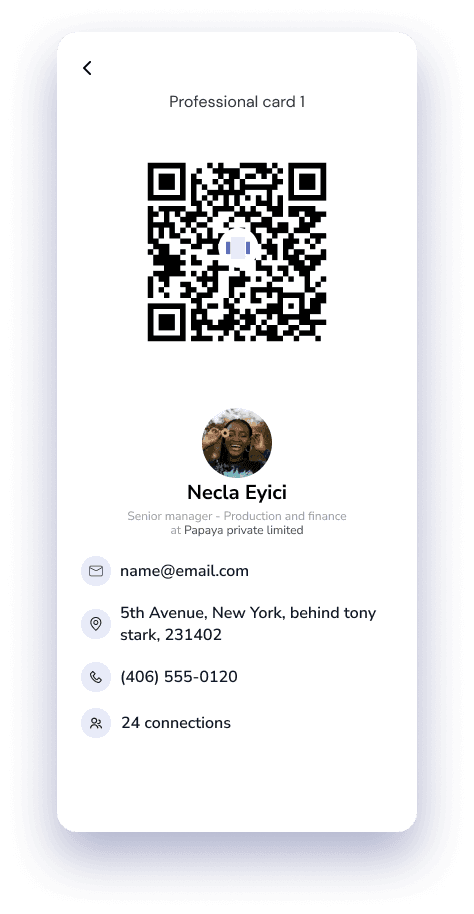
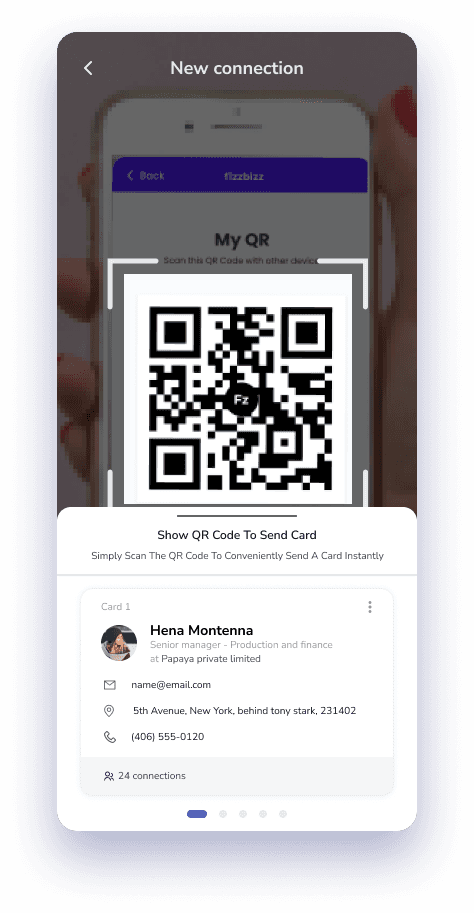
Share your card, anytime
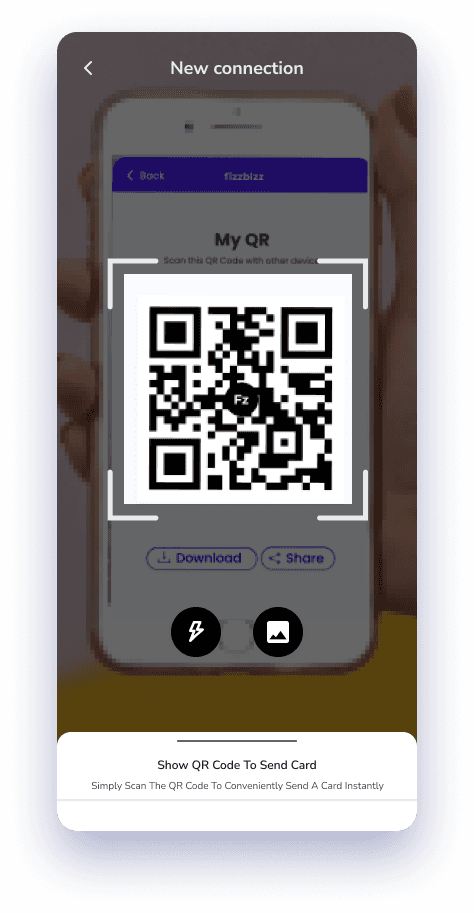
The QR code is the hero of the experience. New connection opens straight to My QR with download and share actions, and the card being sent is previewed underneath — so people always know exactly what they're giving away.
- QR button at the centre of the bottom navigation
- Download or share the QR as an image
- Live preview of the card being sent
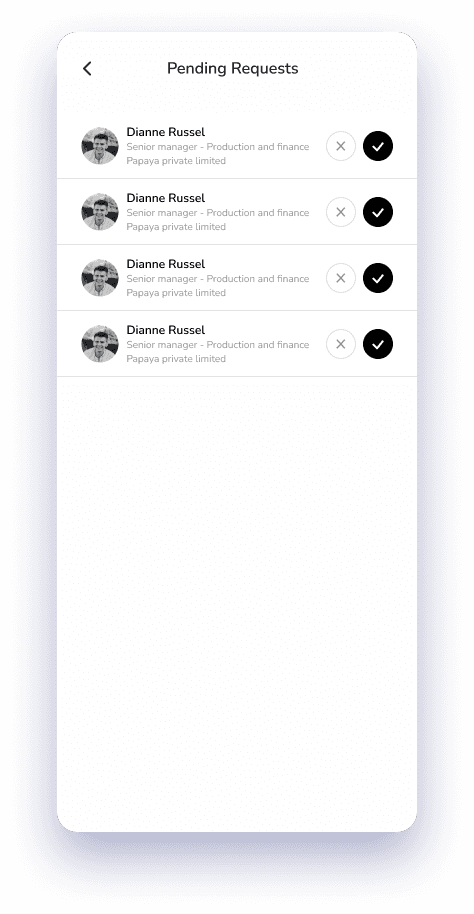
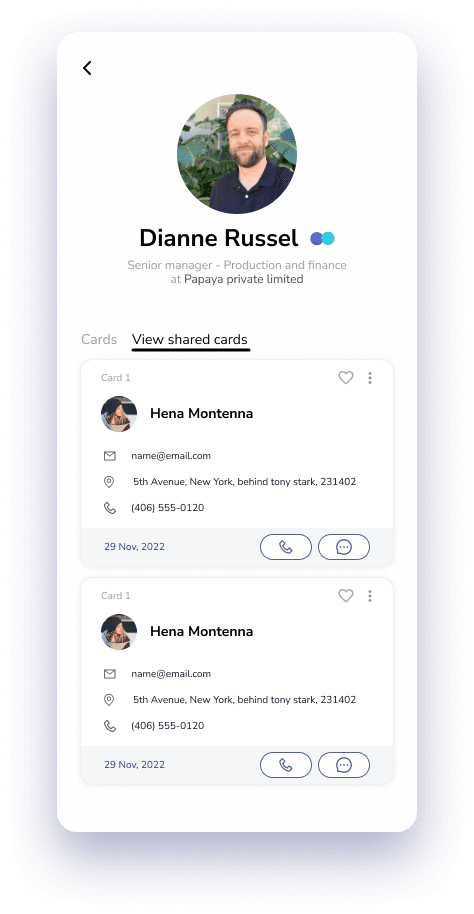
Connections at a glance
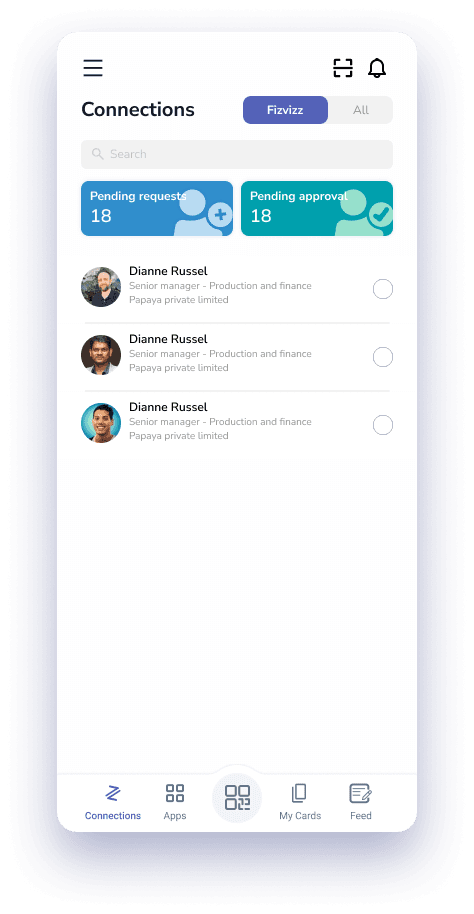
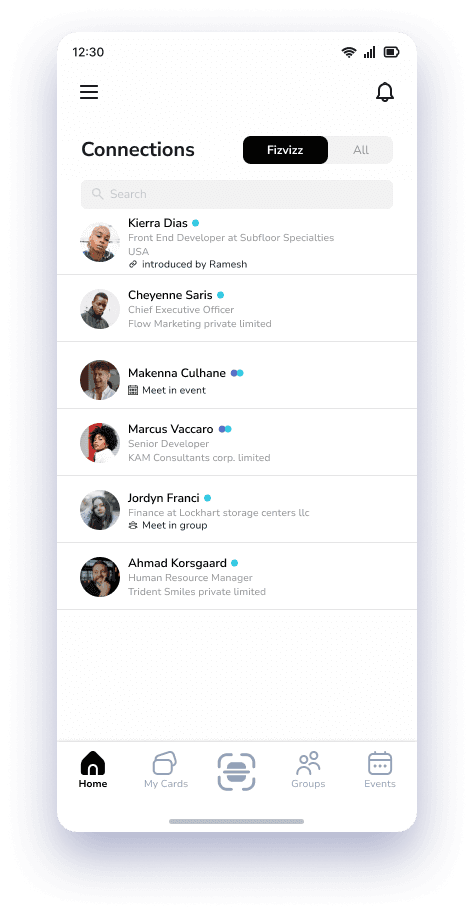
Home is the contact book. Pending requests and approvals sit up top as two colour-coded counters, a Fizvizz / All toggle separates in-app connections from everyone else, and requests can be cleared in one pass.
- Colour-coded request and approval counters
- Fizvizz vs All segmented control
- Profiles keep every card someone shared with you
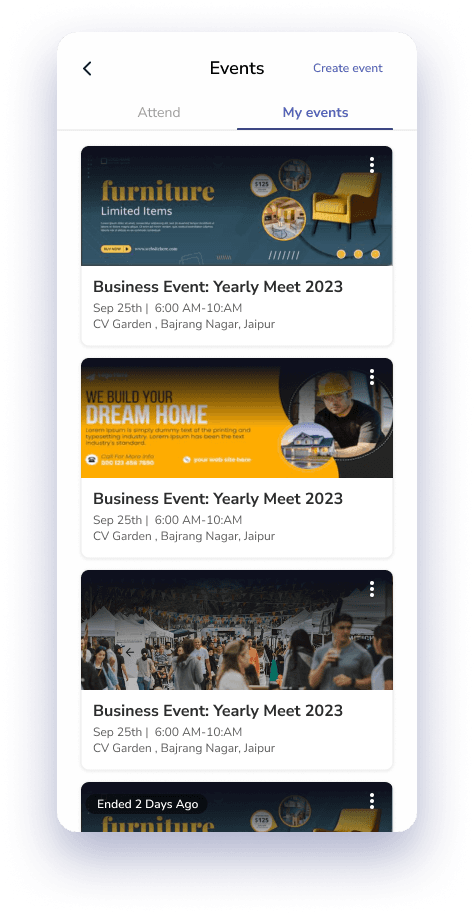
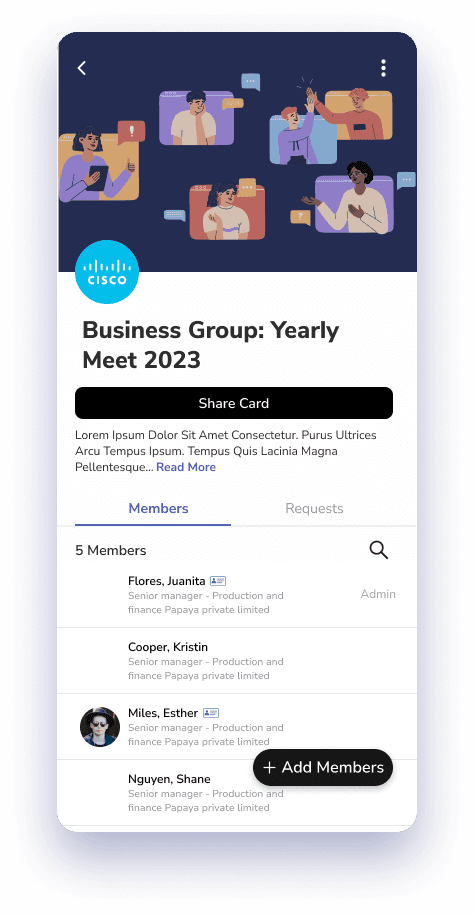
Events & groups
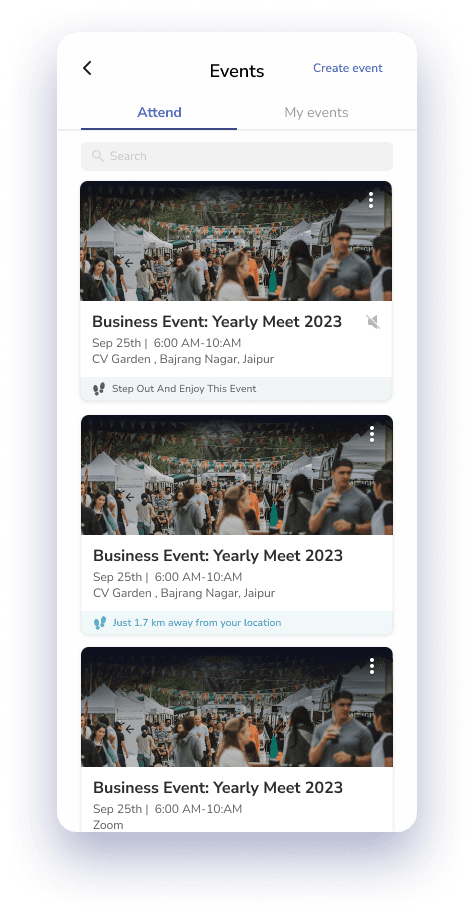
Networking happens in rooms, so events and groups are first-class. People switch between events they attend and events they host, and a group page puts members, join requests and a one-tap Share Card in one place.
- Attend / My events tabs with Create event
- Past events stay browsable
- Members, requests and Add Members on group pages
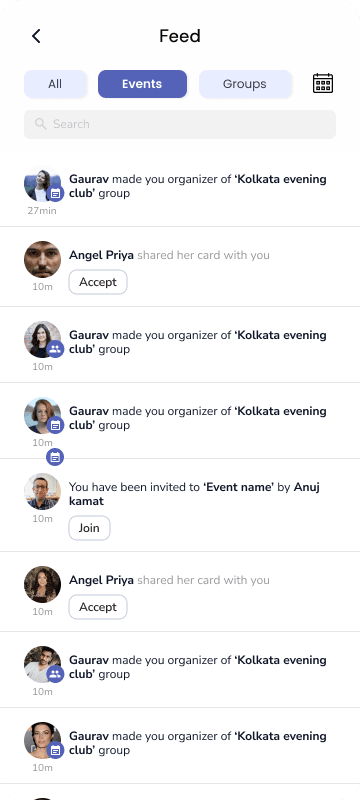
A feed that keeps you in the loop
The feed turns network activity into actions: cards to accept, invitations to events and groups, and new organisers — filterable by All, Events or Groups.
- Inline Accept and Join actions
- All · Events · Groups filters
- Timestamps for quick scanning
Onboarding without friction
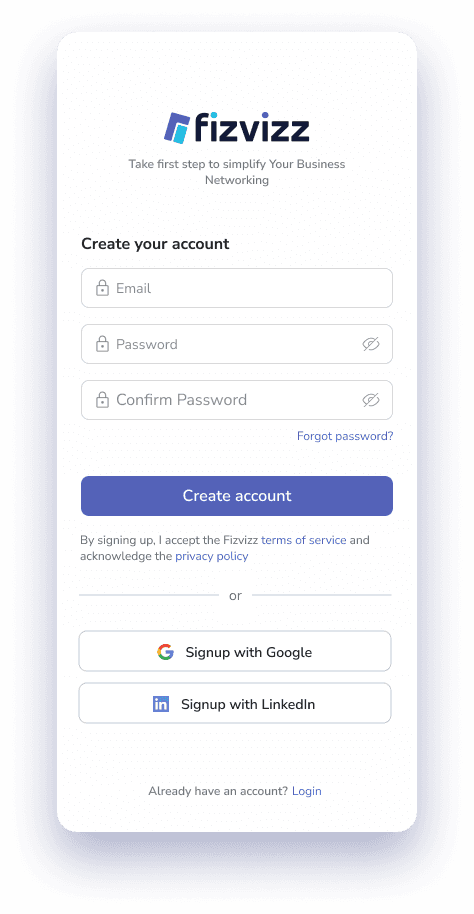
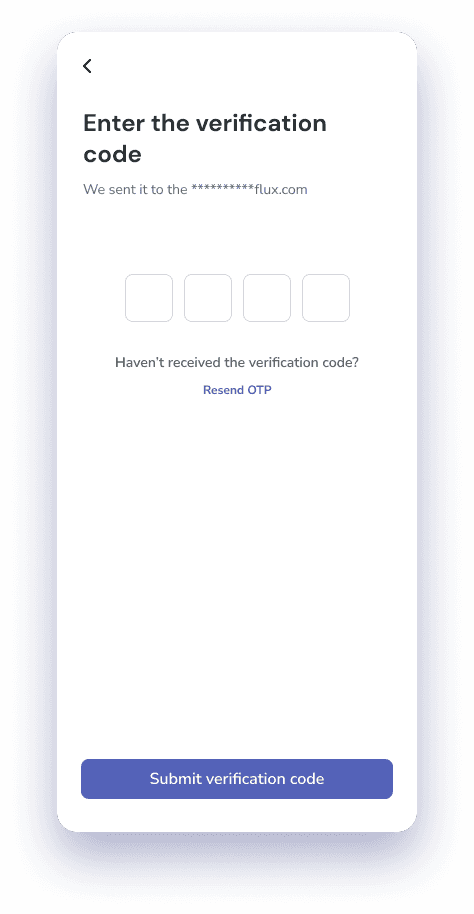
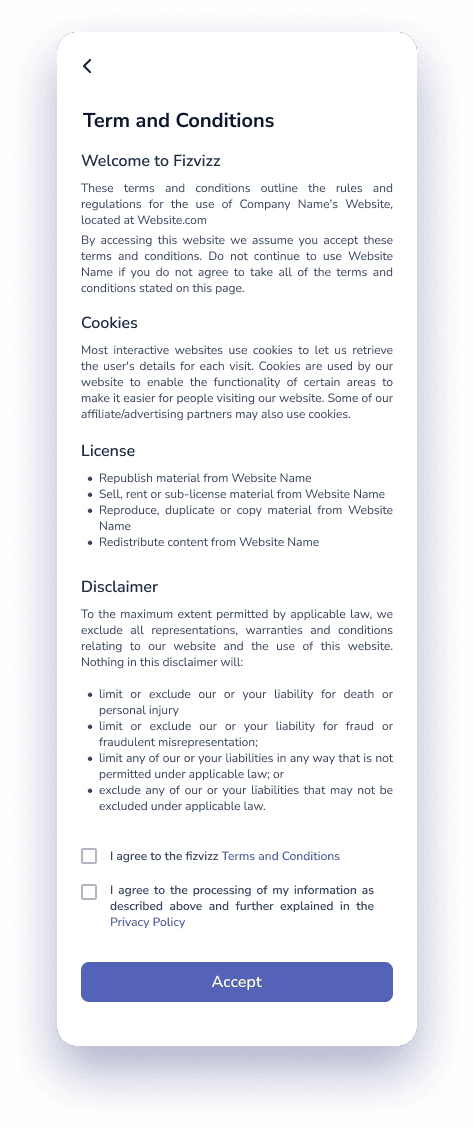
Sign-up offers email or one-tap Google and LinkedIn, followed by a short verification code and clear consent for terms and data processing.
- Social sign-up with Google and LinkedIn
- 4-digit email verification with resend
- Explicit consent before continuing
Works even without the app
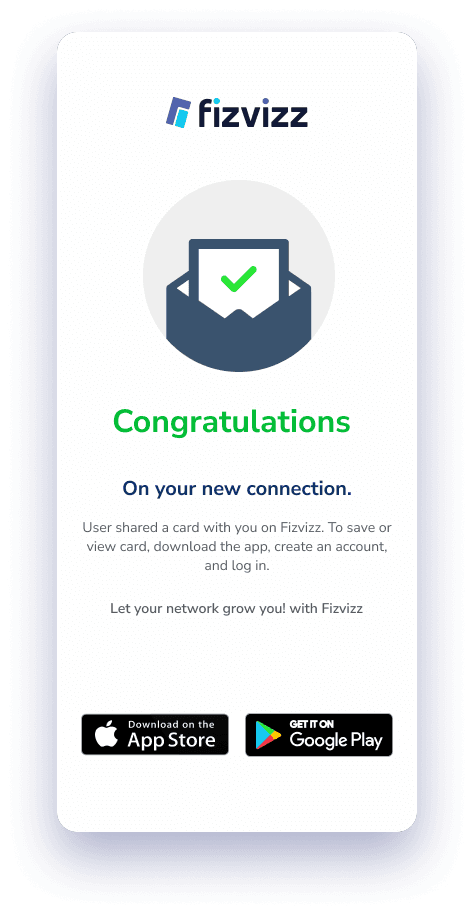
When someone receives a card without Fizvizz installed, the mobile web view confirms the new connection and invites them to download the app — so every share can bring in a new user.
- Congratulations state for the new connection
- App Store and Google Play badges
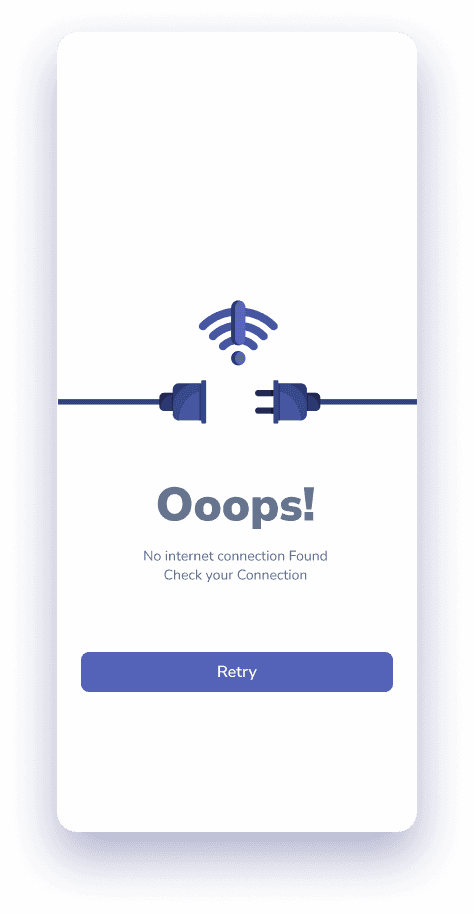
Beyond the happy path
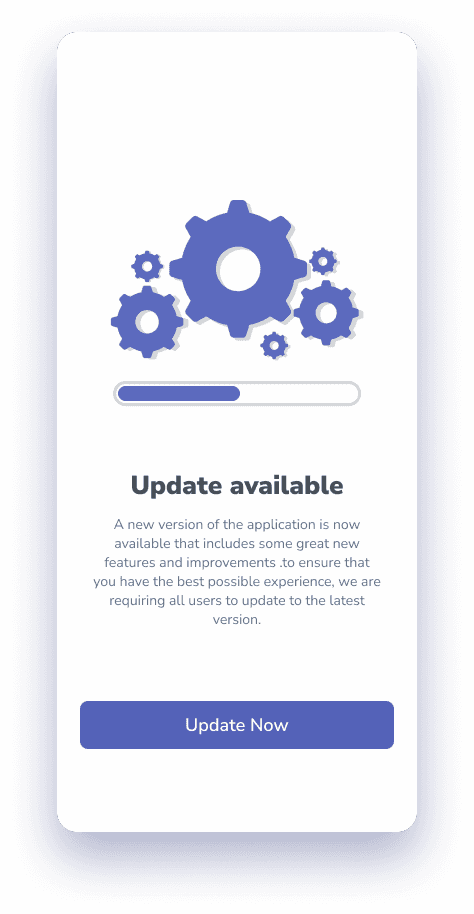
Edge States
Visual language
Design System
Colour
- Night#121A38
- Deep indigo#1F2863
- Hover#424F9E
- Primary#5462B8
- Cyan#22BAE2
- Mist#EDEFFB
Type
Rounded, friendly sans
Bold titles, quiet grey metadata, generous line height for scanning lists.
18 screens
All Screens
Design Takeaways
Fizvizz is live on the App Store with a 5.0★ rating and continues to ship updates, most recently a redesigned group profile.