UX/UI
Case study


School ERPfor the whole institute
Nest by Emmple ties together a school's core administration — students, attendance, fees, transport, assessments and staff — in one teacher-first system. Fast for teachers. Clear for leadership. Effortless for parents.
- Role
- Product Design
- Platform
- Web · Responsive
- Scope
- Admin ERP + landing
- Tools
- Figma
Project Overview
Nest is a school management platform used by administrators, teachers and finance teams to run the institute day to day. It brings attendance, fees, grades, transport, assessments and communication into one system, with a parent app on the way.
My role
Product design across the Student, Teacher, Staff, Transportation, Attendance, Fees, Reports and Exam/Assessment modules — designing school administration and academic workflows, including requirements aligned with UDISE / PSP — plus the redesigned marketing site.
- 10Modules in one sidebar
- 5Roles served
- 7Step guided admission
- 50+Desktop screens
Problem Statement
Most school software adds complexity. Schools end up running on registers, spreadsheets and phone calls:
- Attendance, fees, grades and communication live in separate tools and spreadsheets
- Teachers lose instruction time to roll calls, rosters and duplicate entry
- Fee collection depends on manual receipts, follow-ups and reconciliation
- Leadership waits for reports instead of seeing the day at a glance
- Parents chase the front desk for fees, attendance and notices
- UDISE / PSP compliance adds data that must stay accurate and audit-ready
What guided the design
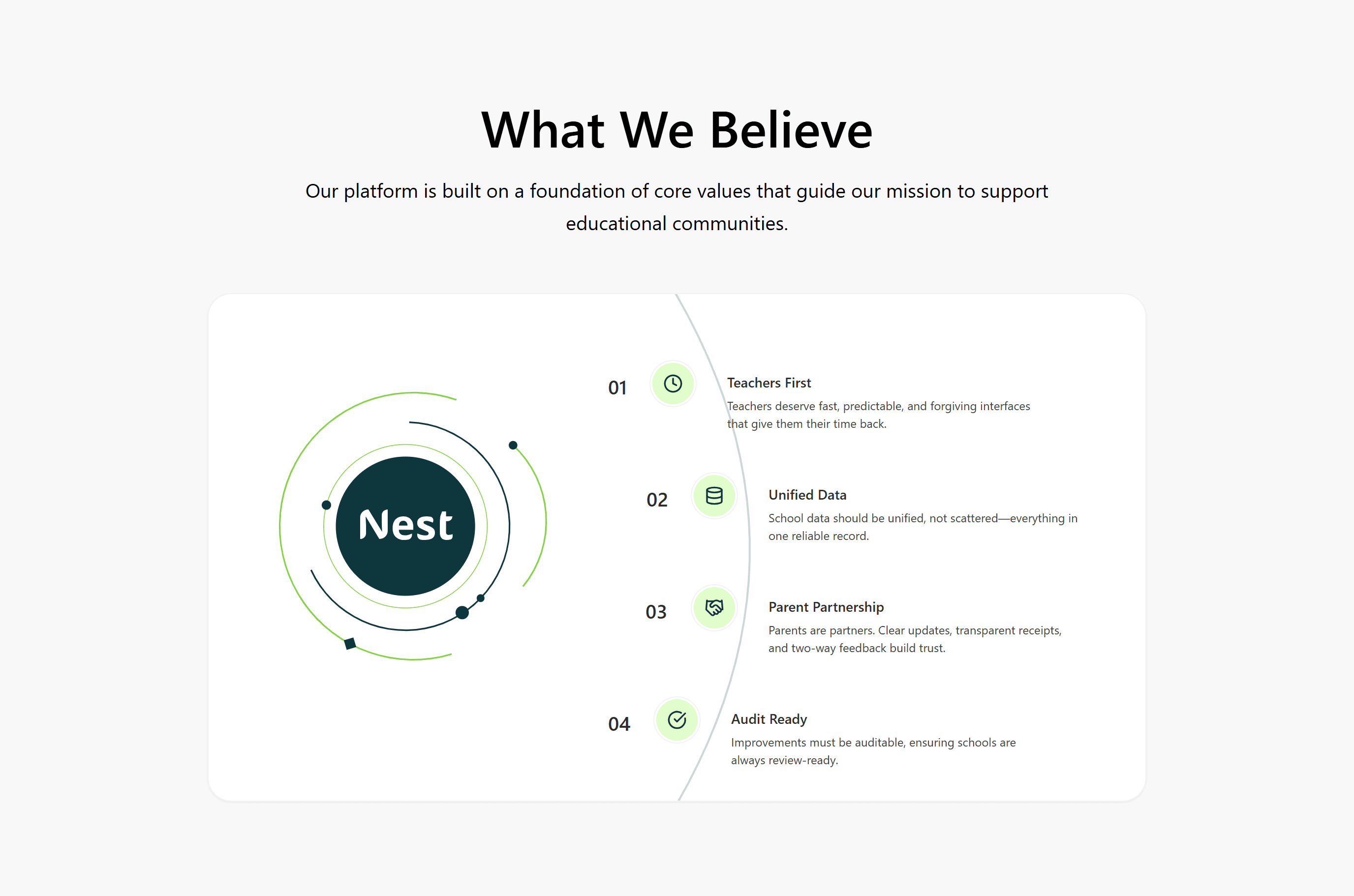
Design Principles
Teachers first
Fast, predictable and forgiving interfaces that give teachers their time back.
Unified data
Every learner, fee and roster lives in one reliable record — not scattered across tools.
Parent partnership
Clear updates, transparent receipts and two-way feedback build trust.
Audit ready
Receipts, approvals and changes stay traceable, so schools are always review-ready.
Who it's for
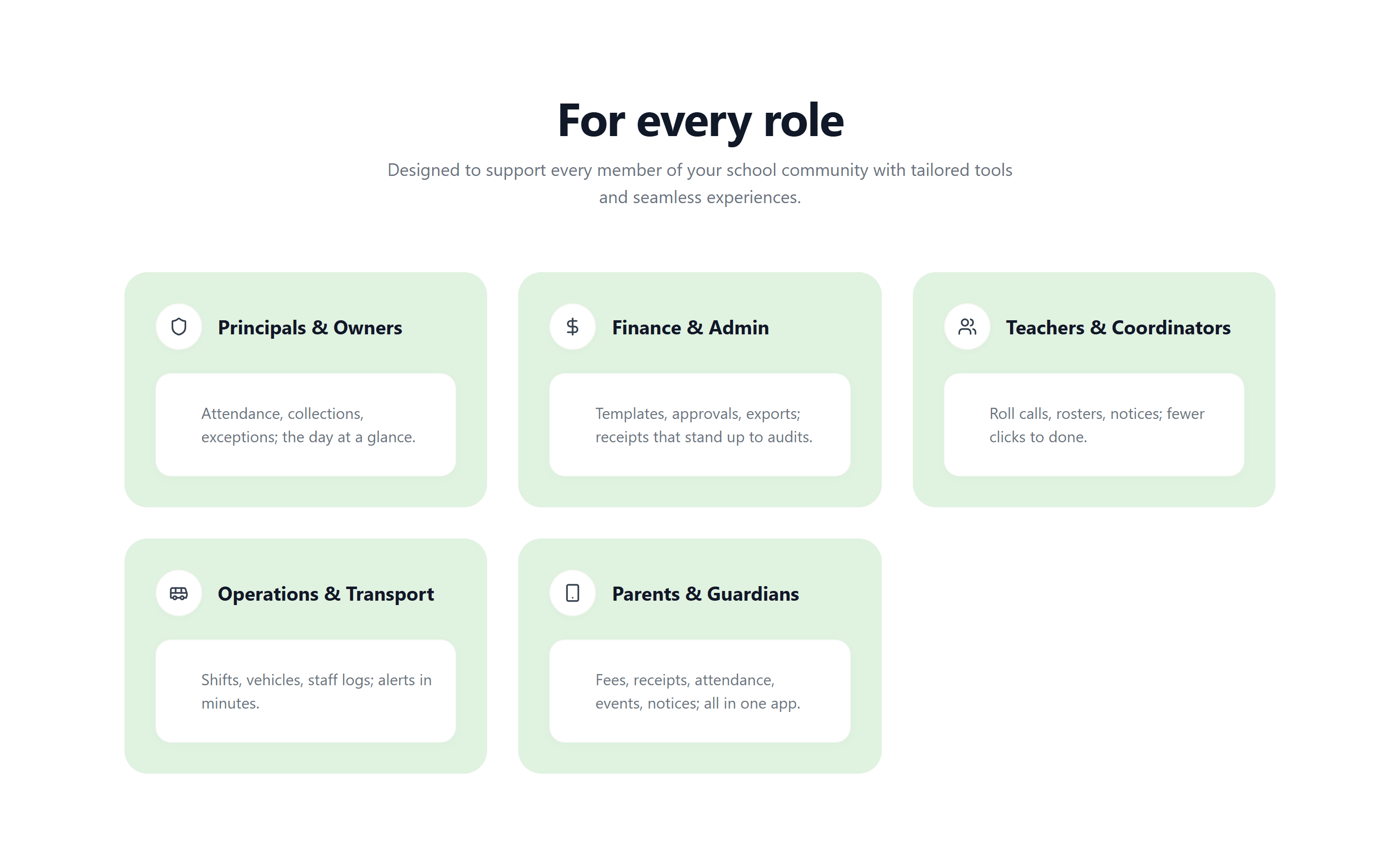
For every Role
Principals & Owners
Attendance, collections and exceptions — the day at a glance.
Finance & Admin
Templates, approvals and exports; receipts that stand up to audits.
Teachers & Coordinators
Roll calls, rosters and notices — fewer clicks to done.
Operations & Transport
Shifts, vehicles and staff logs; alerts in minutes.
Parents & Guardians
Fees, receipts, attendance, events and notices in one app.
Ten modules, one sidebar
Information Architecture
Every module sits one click away in a persistent sidebar, and each follows the same pattern — a list, a detail view with tabs, and drawers or dialogs for quick edits — so staff learn it once.
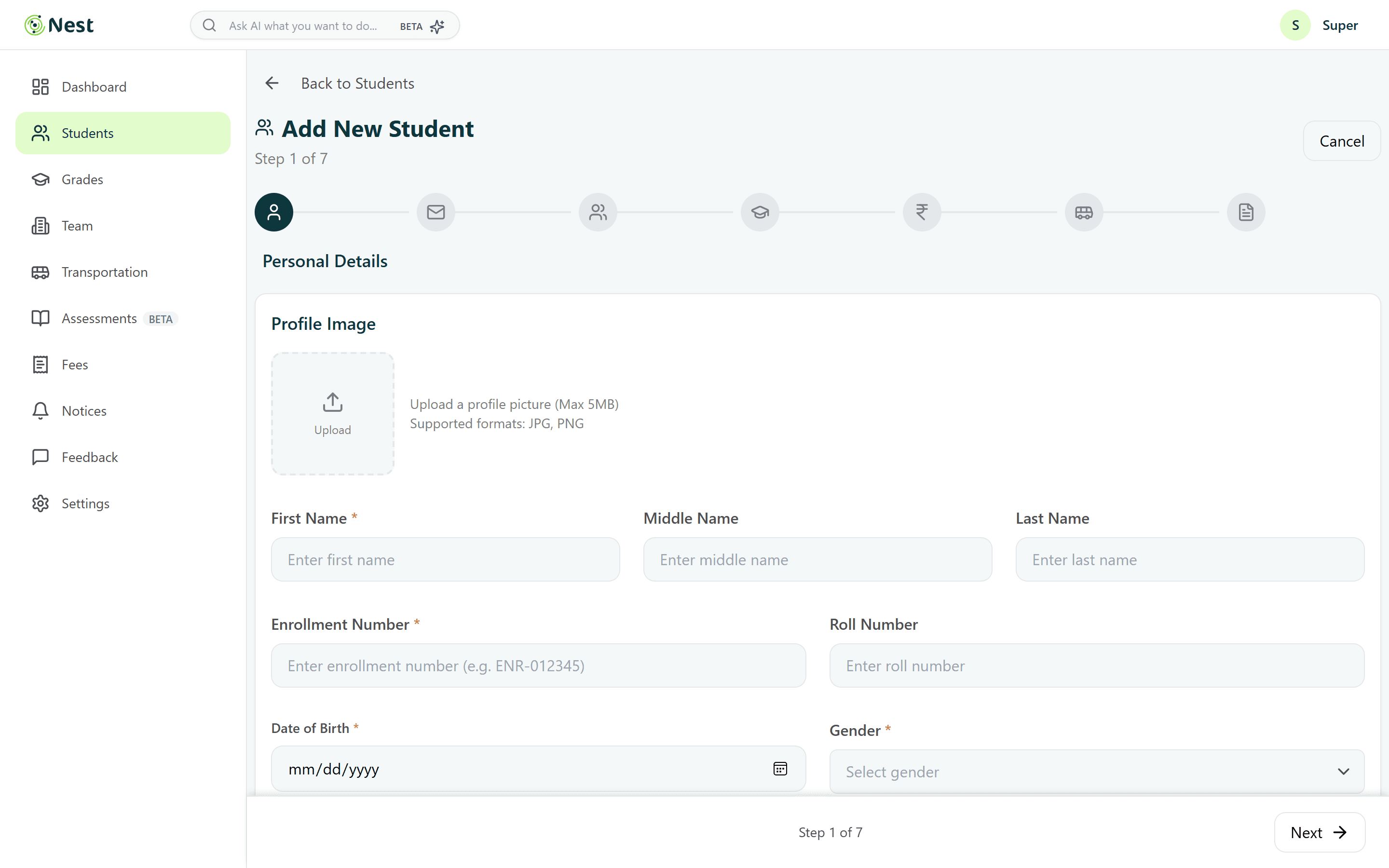
A long form, made calm
Admission in Seven Steps
- Step 1Personal
- Step 2Contact
- Step 3Guardians
- Step 4Academic
- Step 5Fees
- Step 6Transport
- Step 7Documents
Inside the product
Key Features
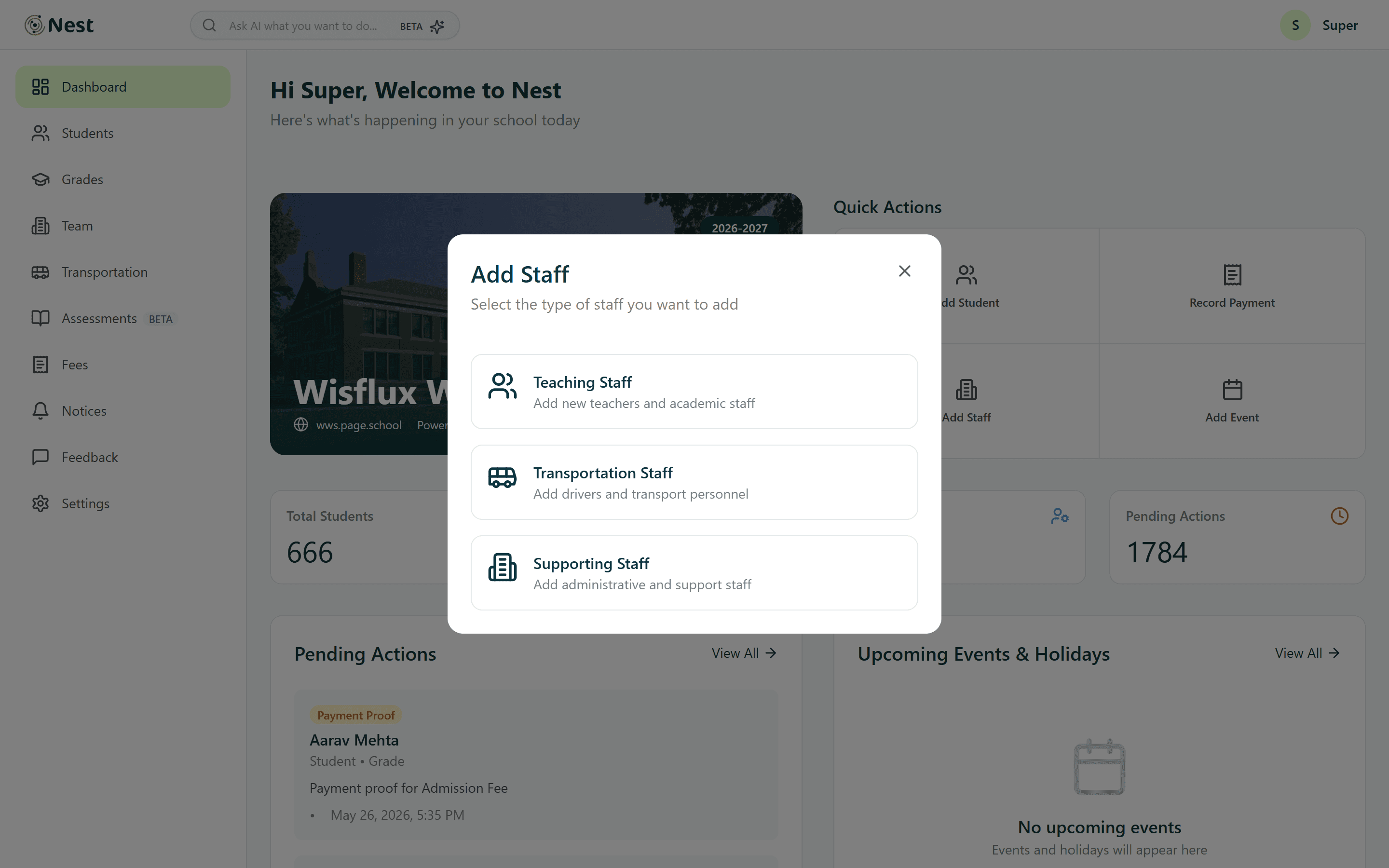
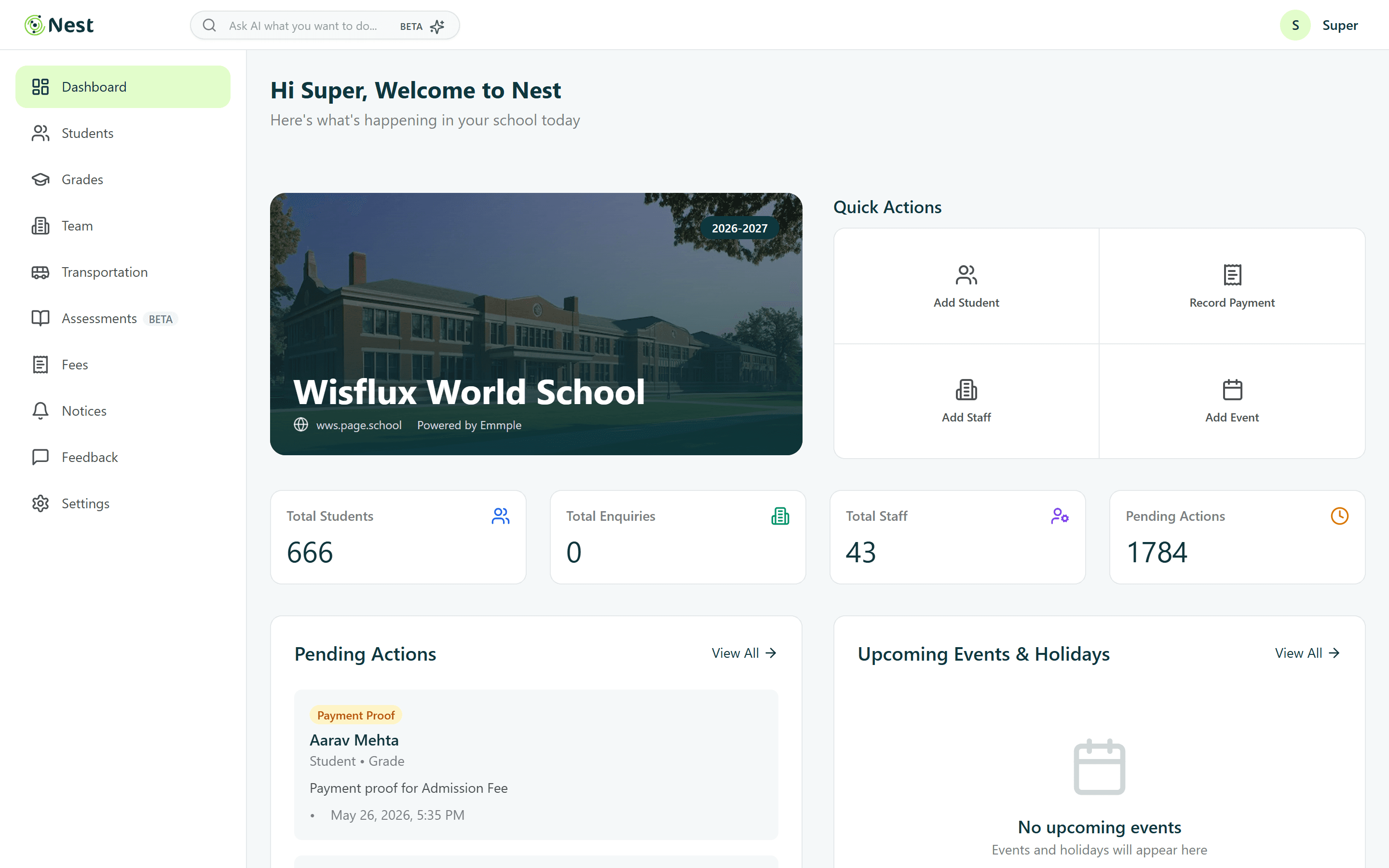
The school day, at a glance
The dashboard opens on the school itself, then answers the first questions of the morning: how many students and staff, what's pending, what's coming up. The four most common jobs are one click away.
- Quick actions: add student, record payment, add staff, add event
- KPI tiles for students, enquiries, staff and pending actions
- Pending actions and upcoming holidays side by side
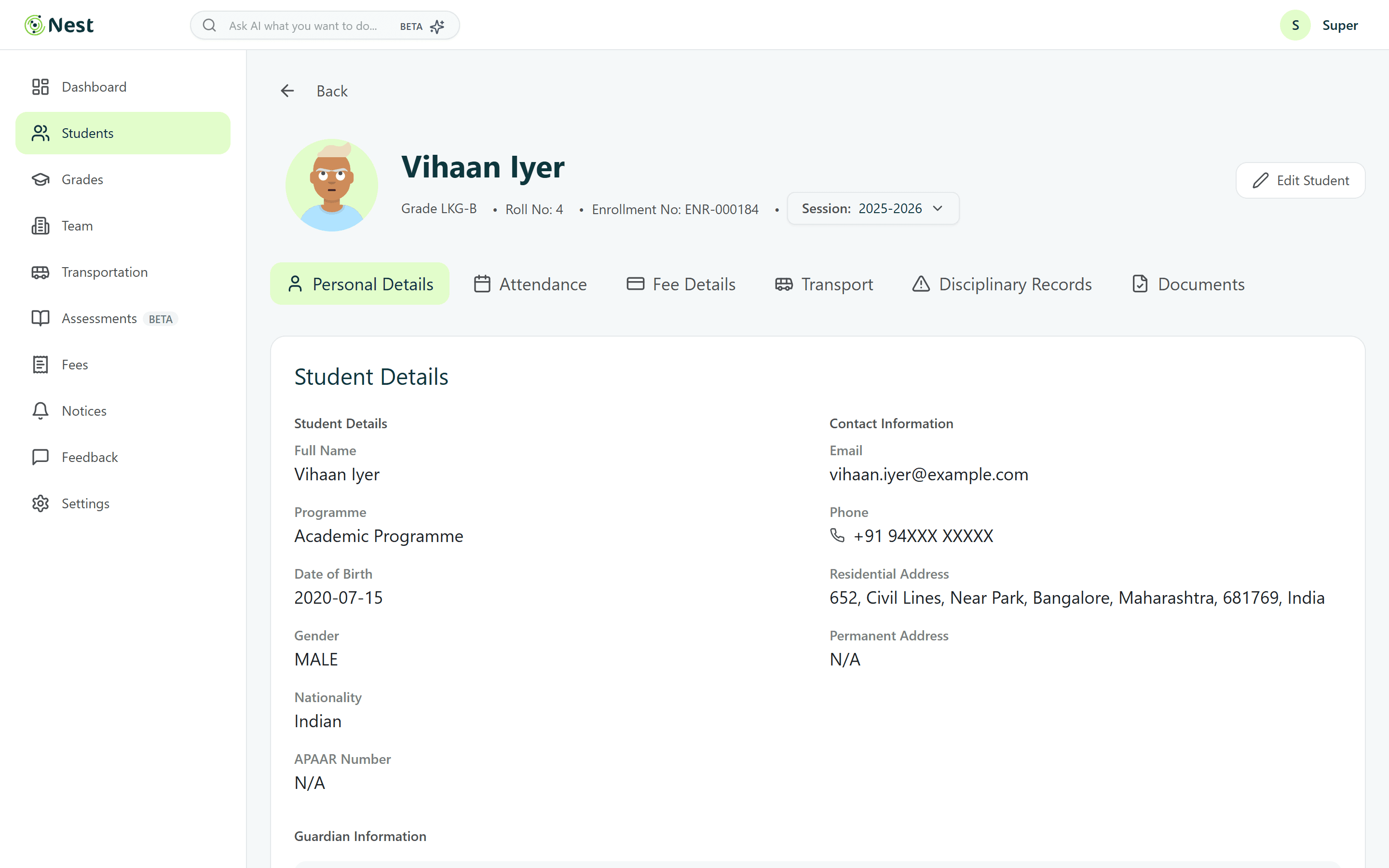
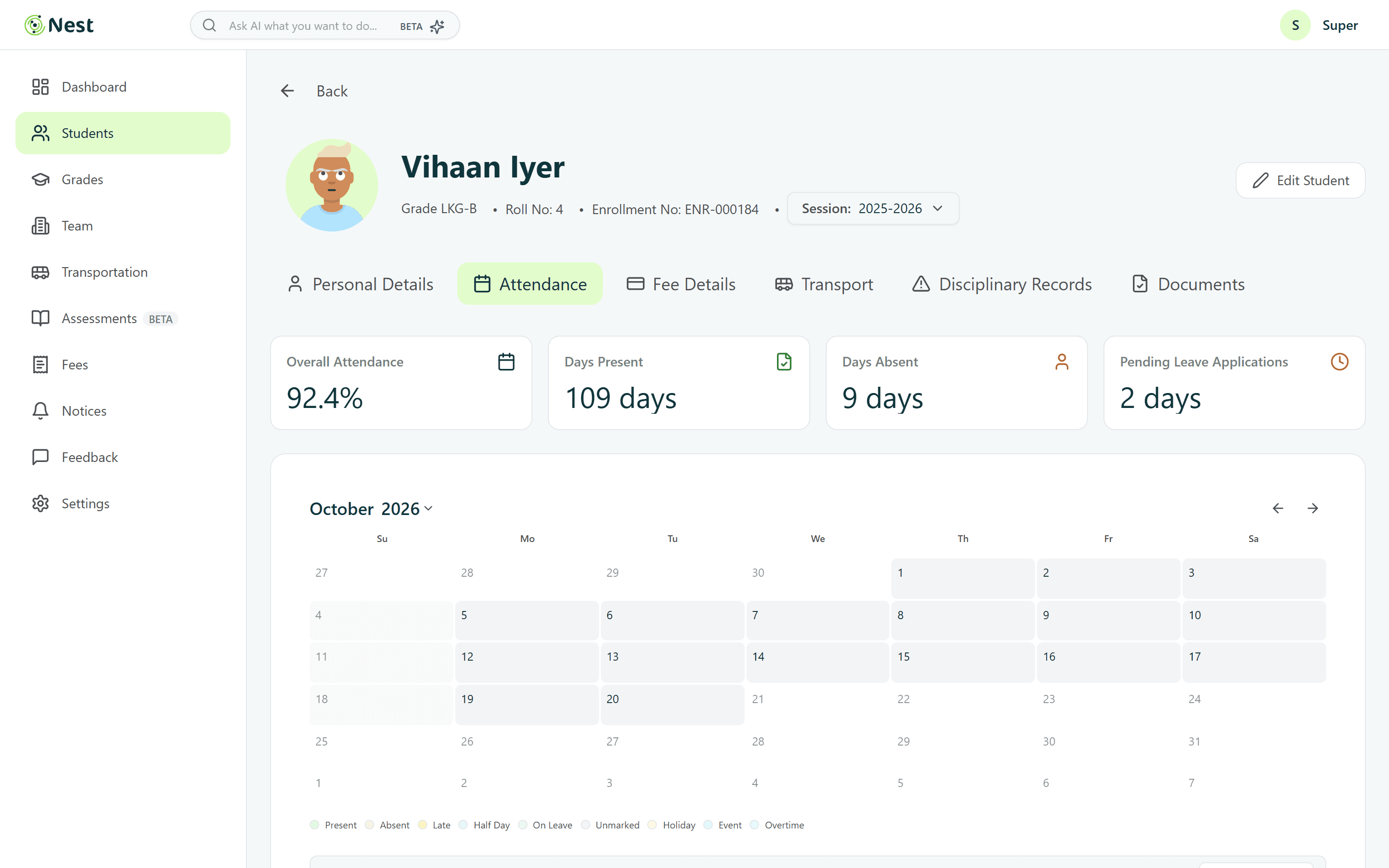
One record per learner
Every student has a single profile that keeps personal details, attendance, fees, transport, disciplinary notes and documents in tabs — so staff stop hunting across spreadsheets.
- Searchable, filterable student table with bulk actions
- Profile tabs instead of separate pages
- Attendance KPIs with a monthly calendar
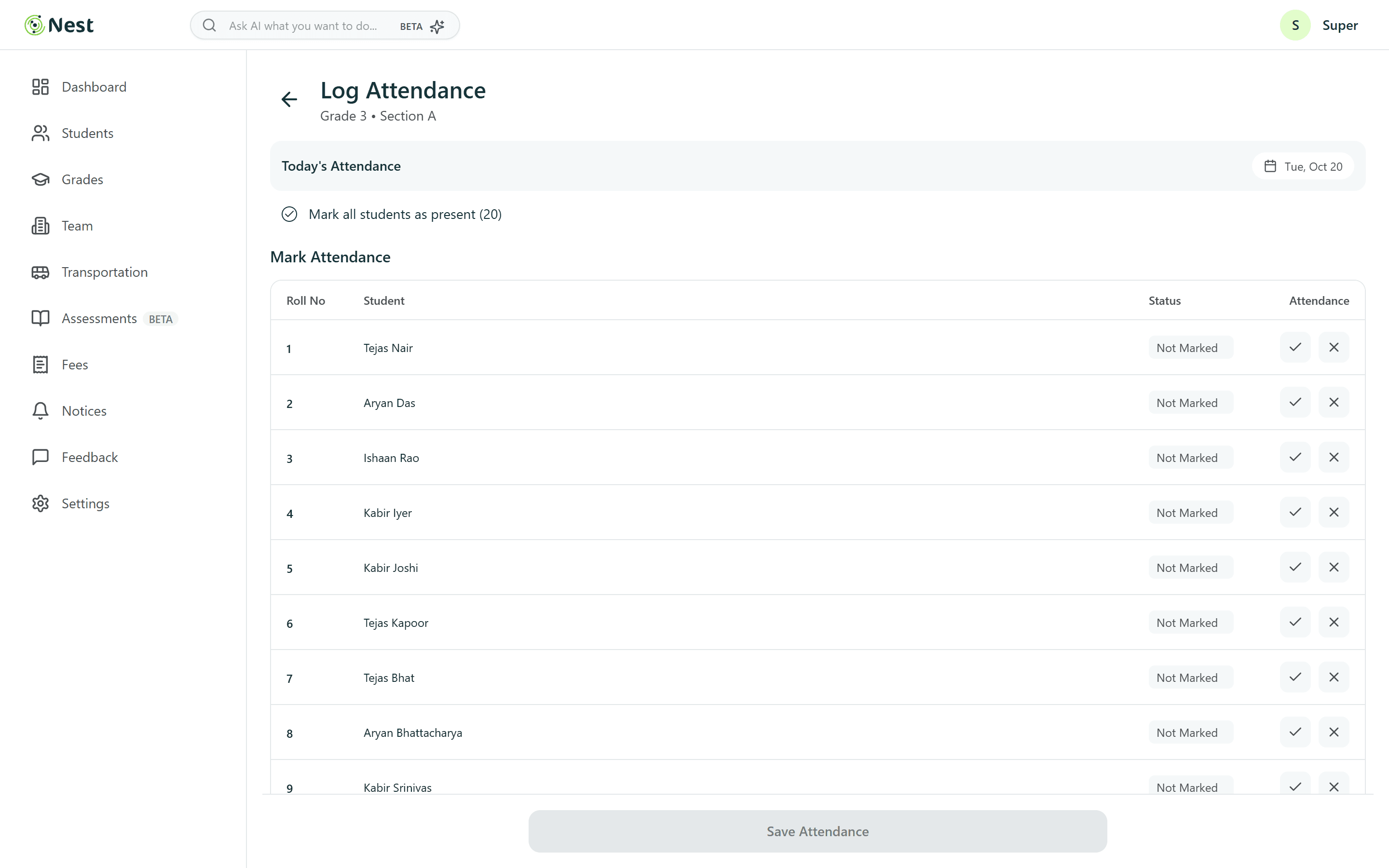
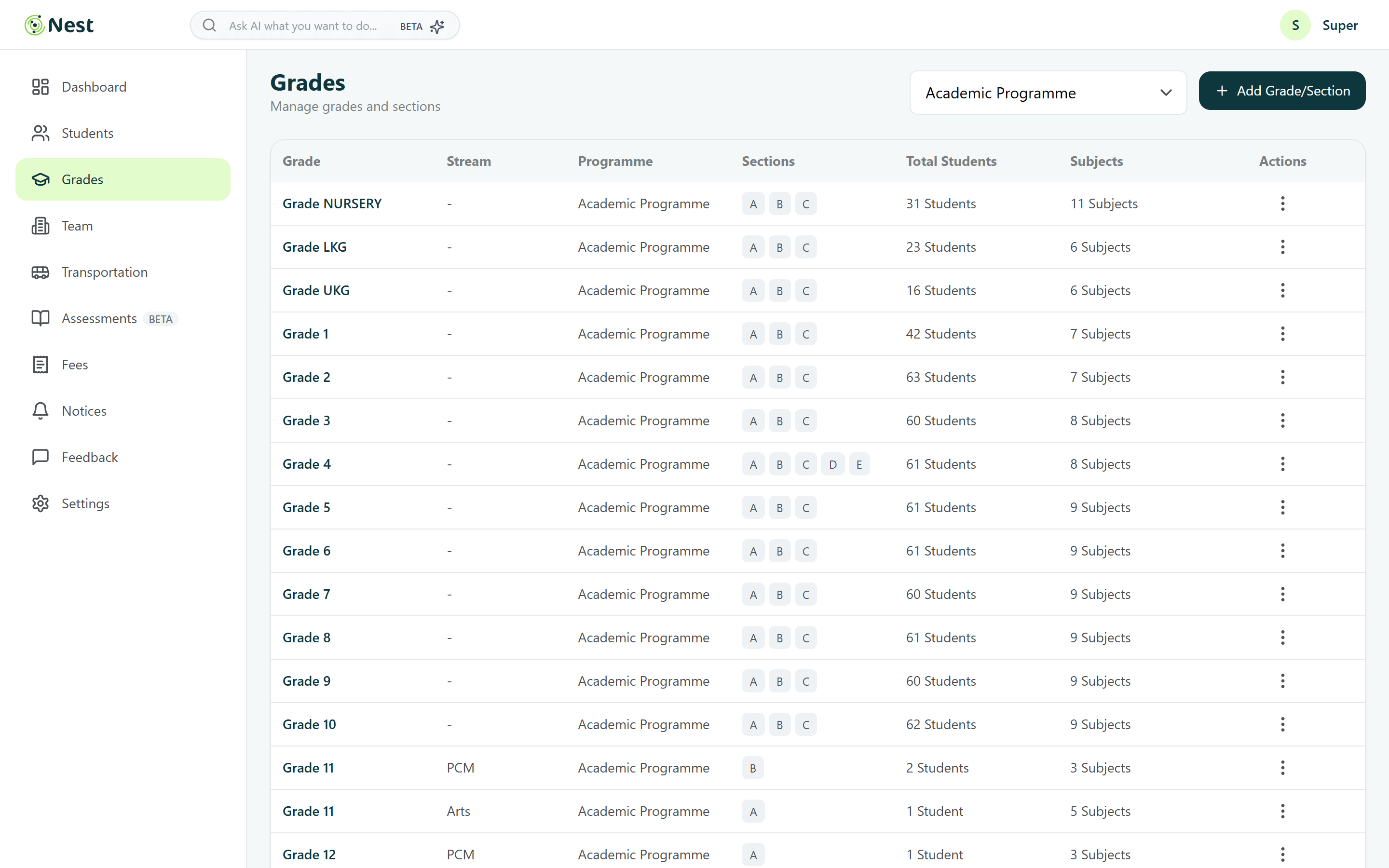
Roll call in seconds
Attendance is the heartbeat of a school day. Teachers pick a section, mark everyone present in one tap, then fix the exceptions — instead of ticking twenty rows.
- Mark all students present, then edit exceptions
- Large tick / cross targets with a clear status column
- Grade-level attendance trends for coordinators
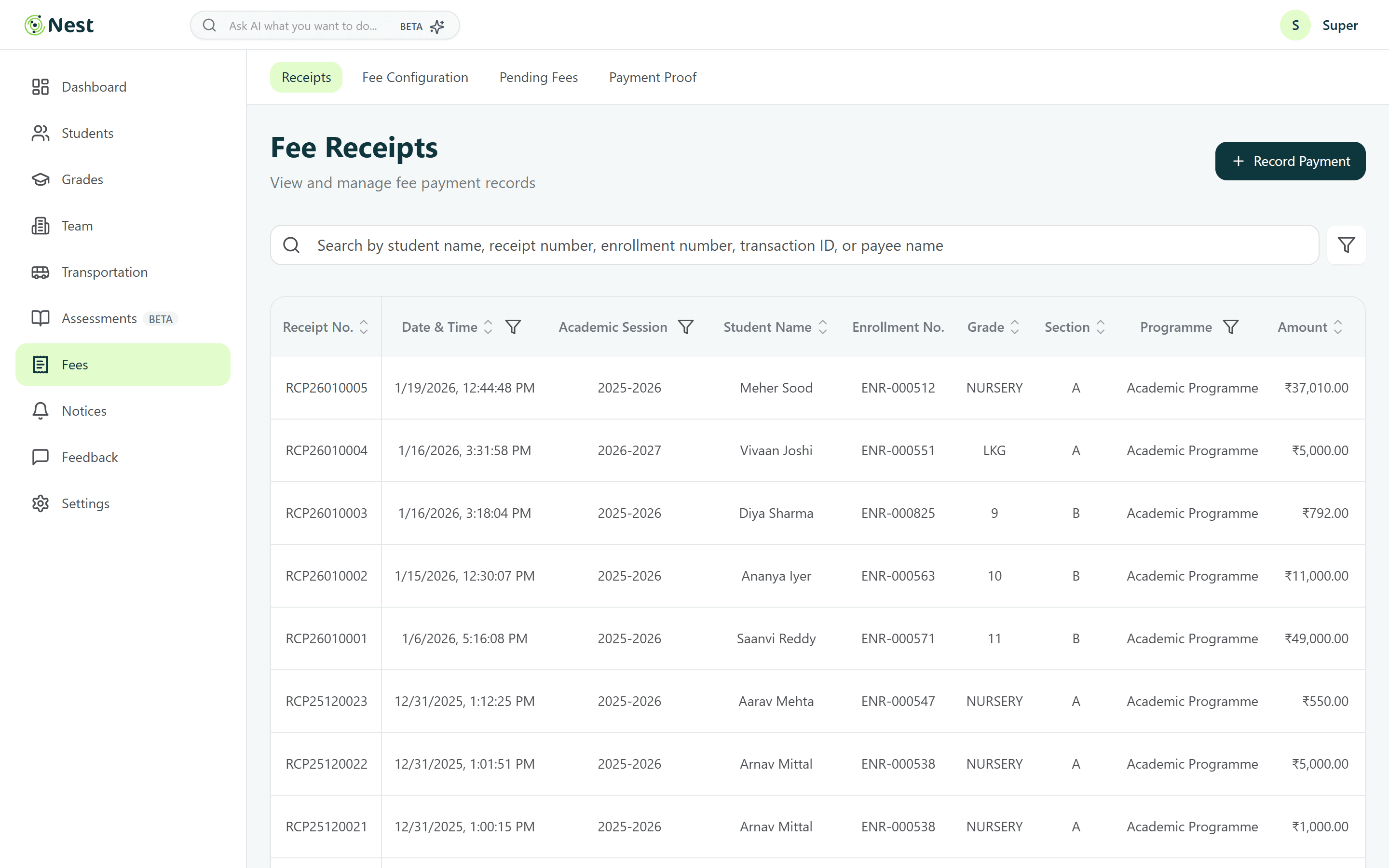
Fees without spreadsheet chaos
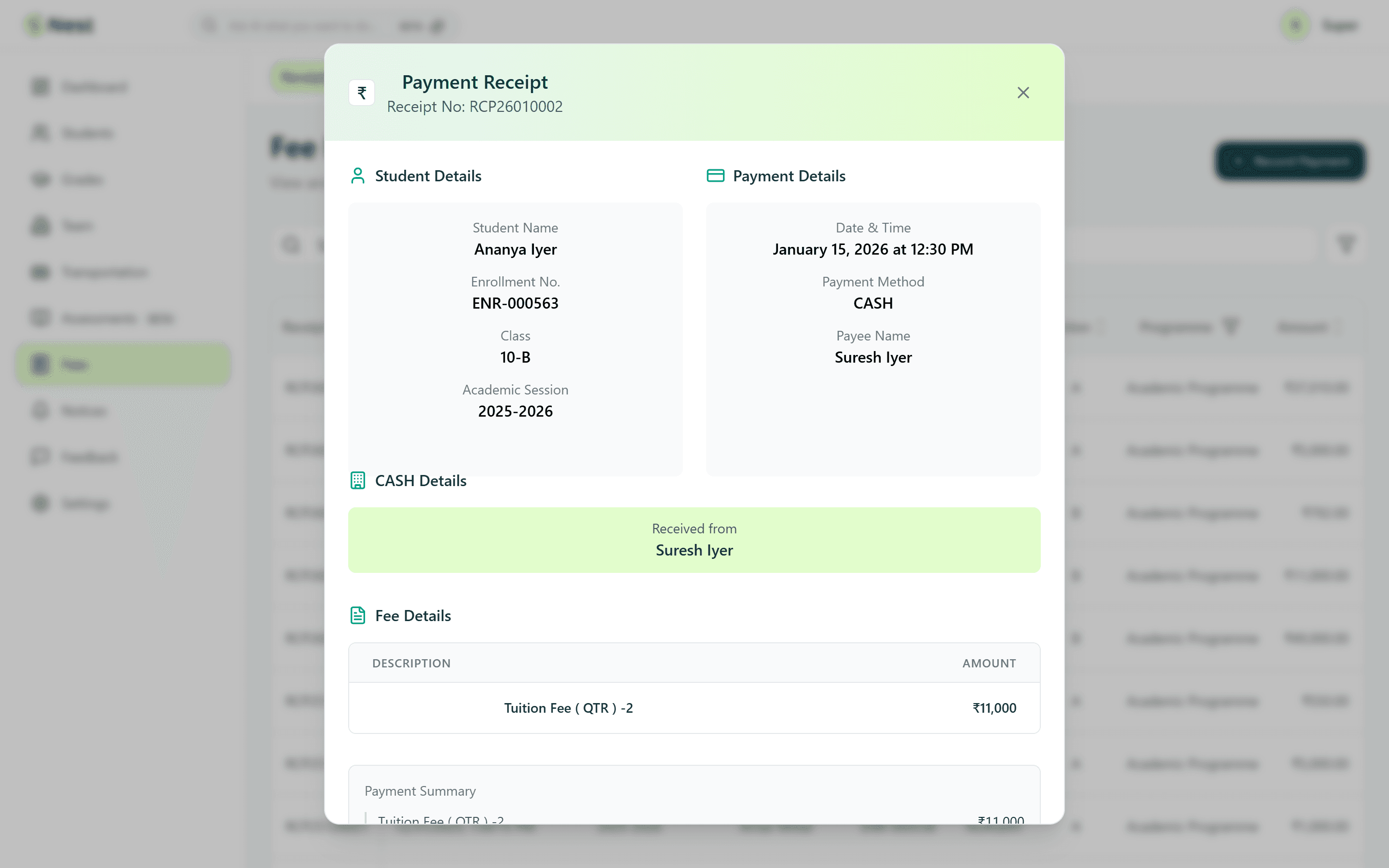
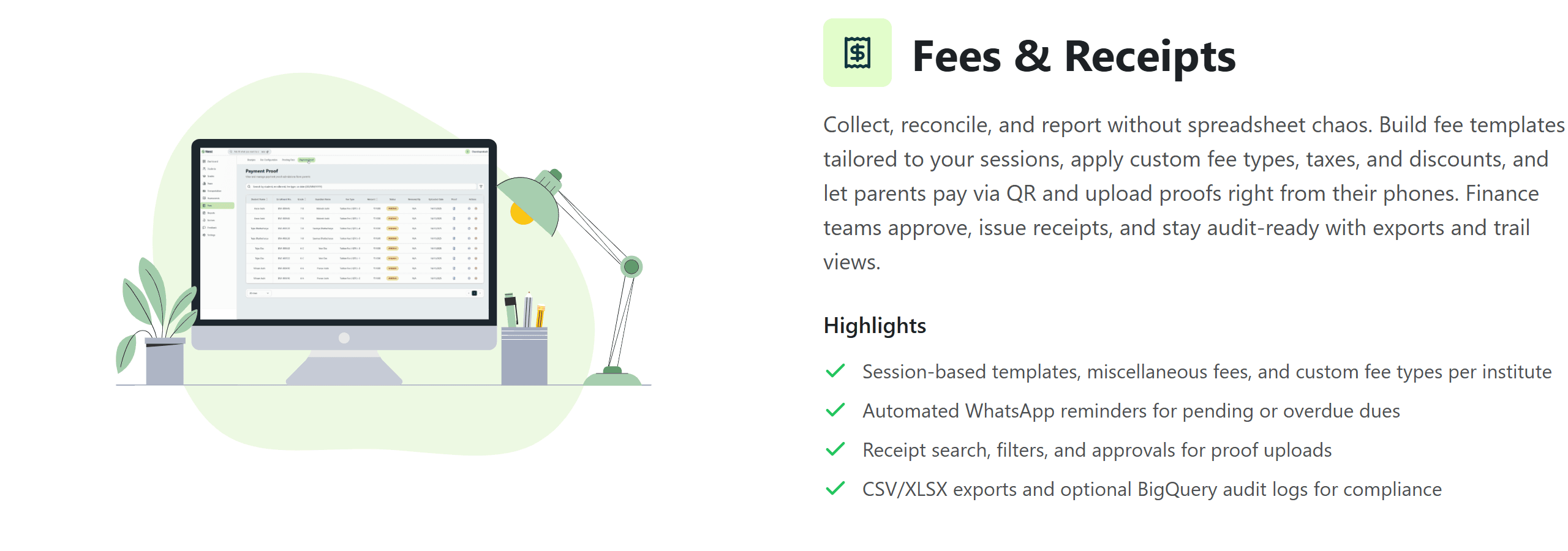
Finance teams build session-based fee templates with discounts and taxes, record payments, approve payment proofs and issue receipts that stand up to audits — with pending dues always visible.
- Fee templates, discounts and taxes per session
- Receipt search, filters and receipt detail
- Pending fees with reminders
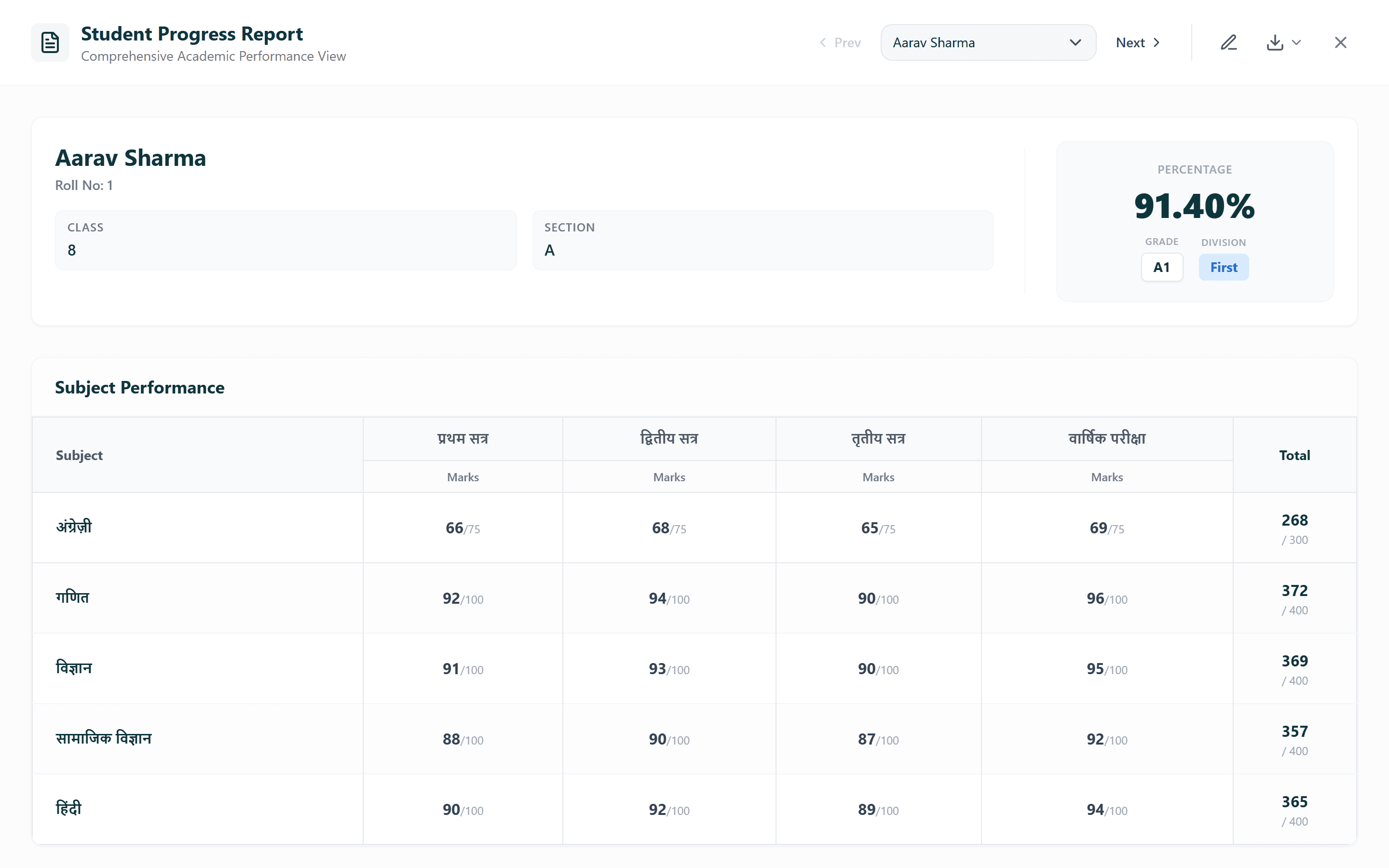
Assessments & report cards
Report cards are generated in two steps and read like a printed progress report — subject-wise marks, percentage and performance at a glance.
- Generate report cards from the system or an upload
- Progress report with subject-wise performance
- Clear BETA labelling while the module matures
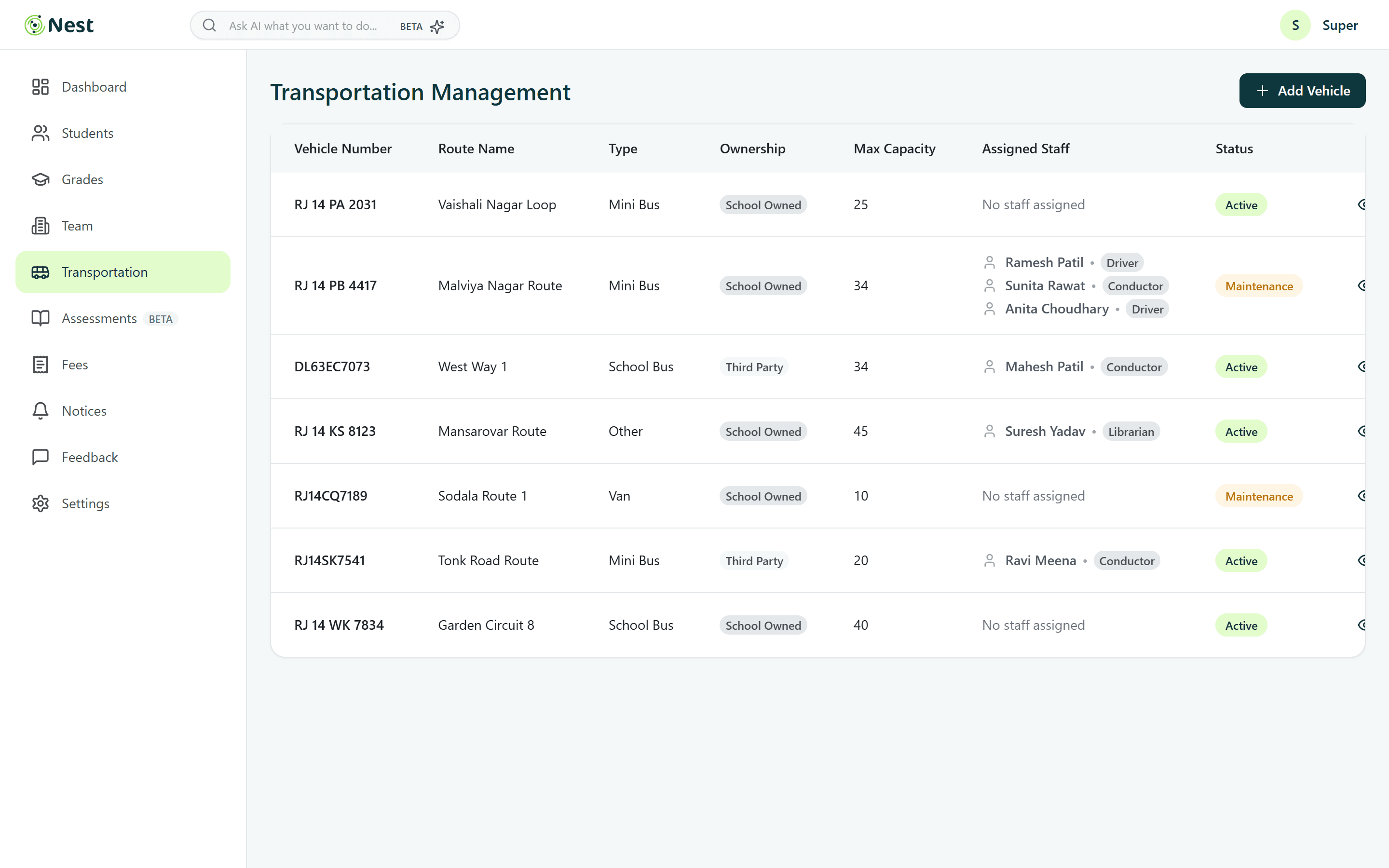
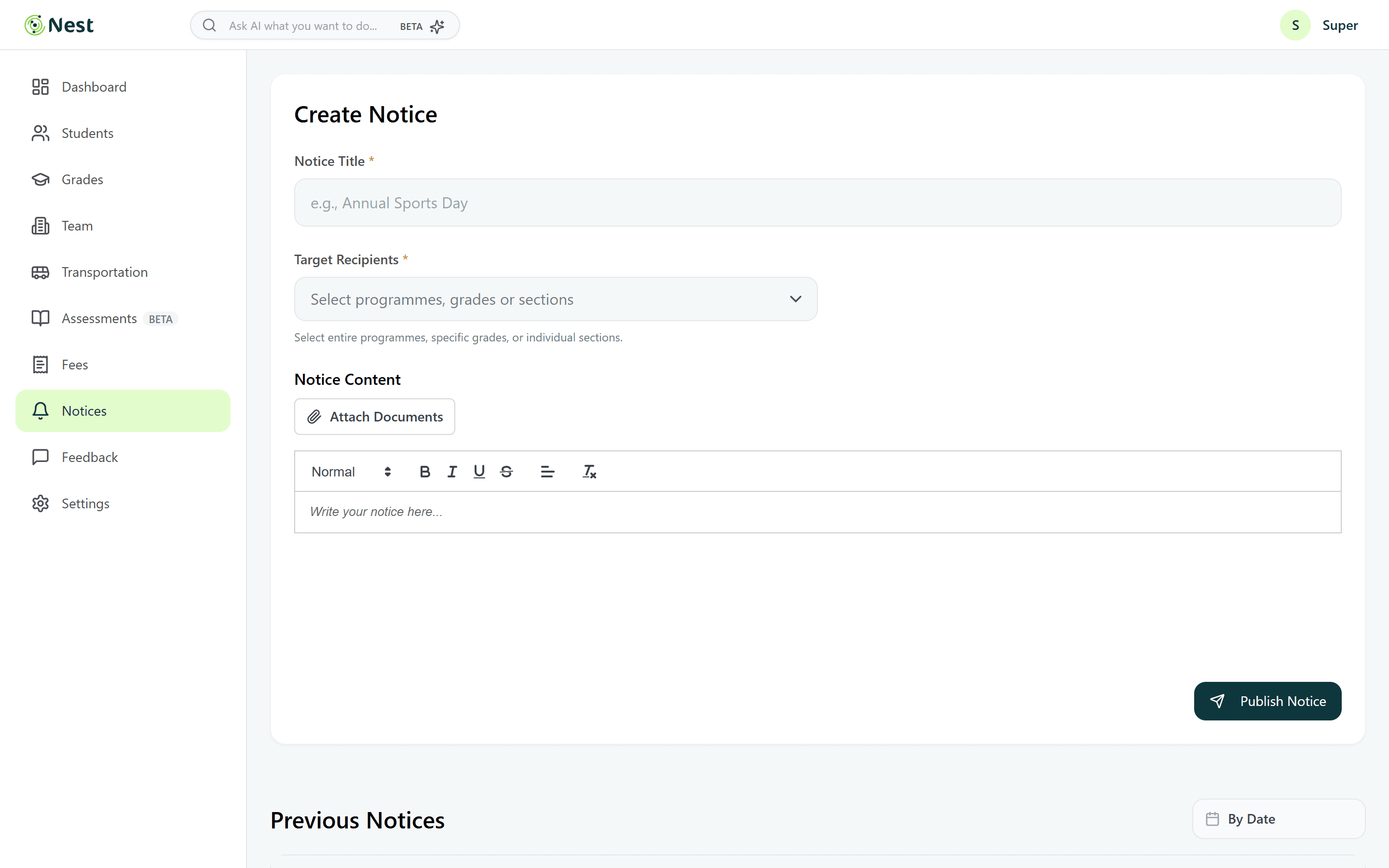
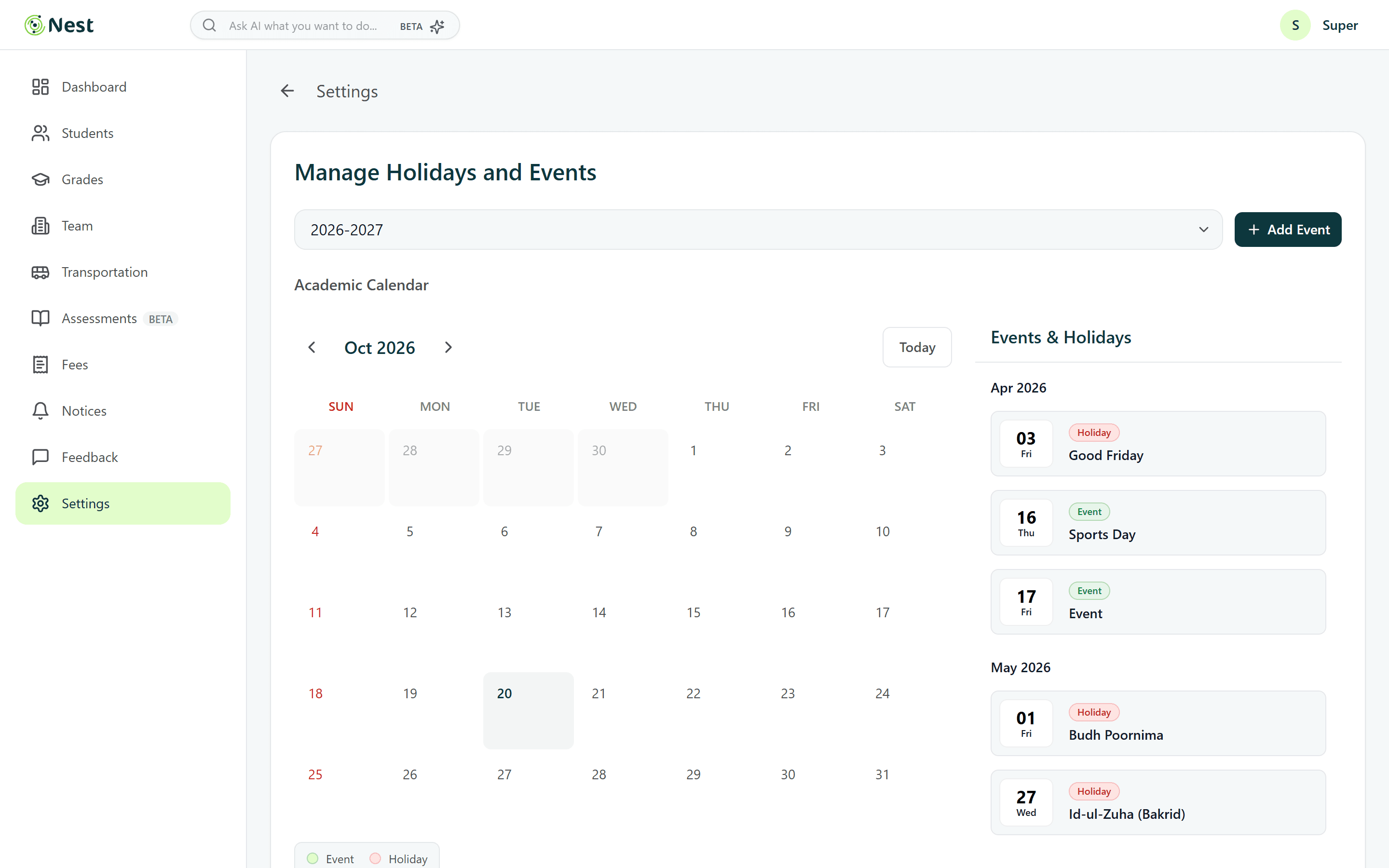
Transport, notices & the calendar
Operations get vehicles, staff and passengers in one place, while notices go to exactly the right audience and holidays sync to a shared calendar.
- Vehicles with capacity and assigned staff
- Notices with audience targeting and a rich editor
- Holidays & events calendar for the whole school
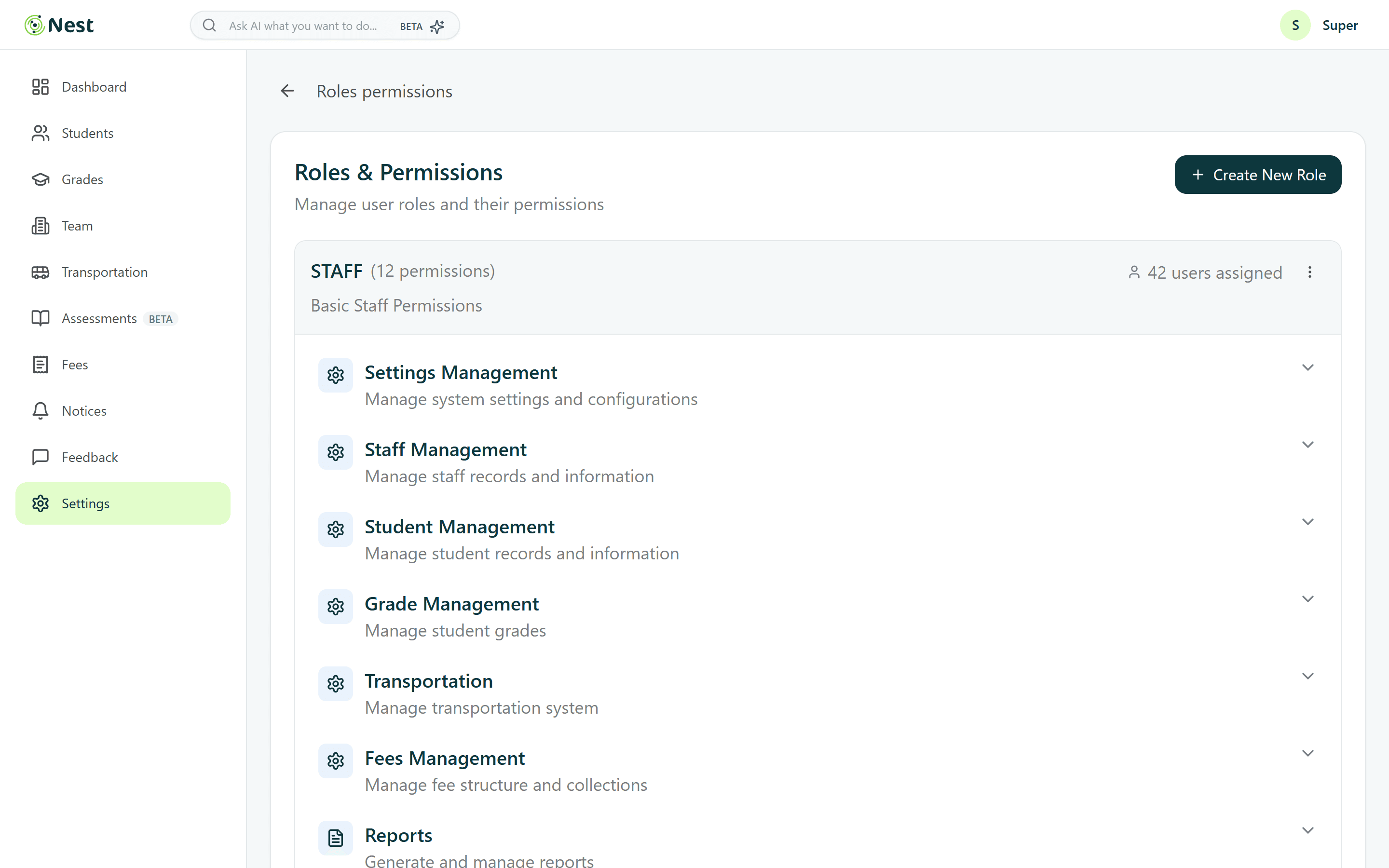
Access that fits the role
Different people run different parts of a school. Roles and permissions are grouped by module, so a teacher, an accountant and a principal each see exactly what they need.
- Module-level permission groups
- System roles plus custom designations
- Shifts and biometric devices for staff
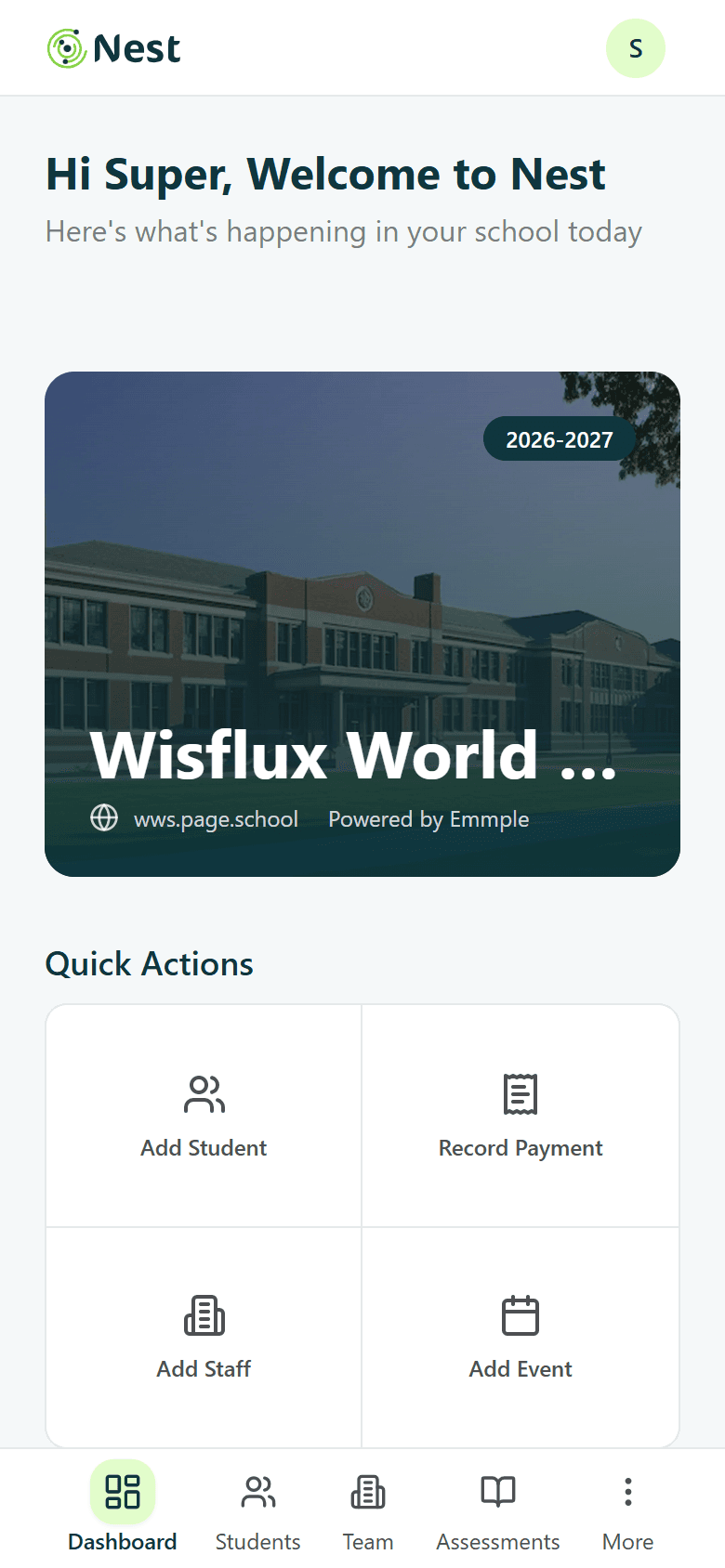
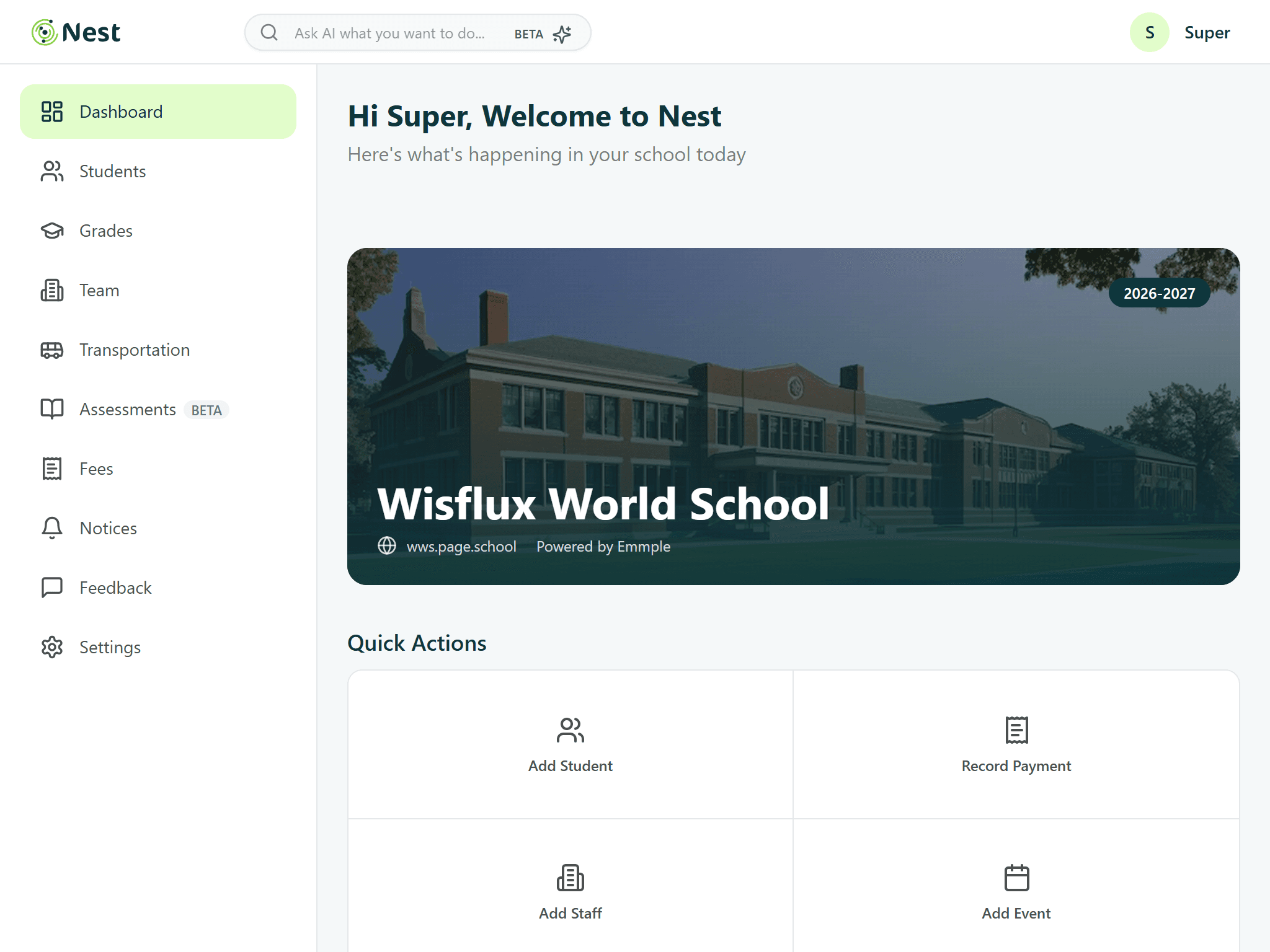
Desktop first, everywhere
Responsive By Design
Built for the office desktop, but the same patterns hold on a tablet in the staff room and a phone at the gate — the sidebar becomes a bottom tab bar on small screens.
Tablet · 1024px
Phone · 390px
Telling the story outside the app
Landing Page Redesign
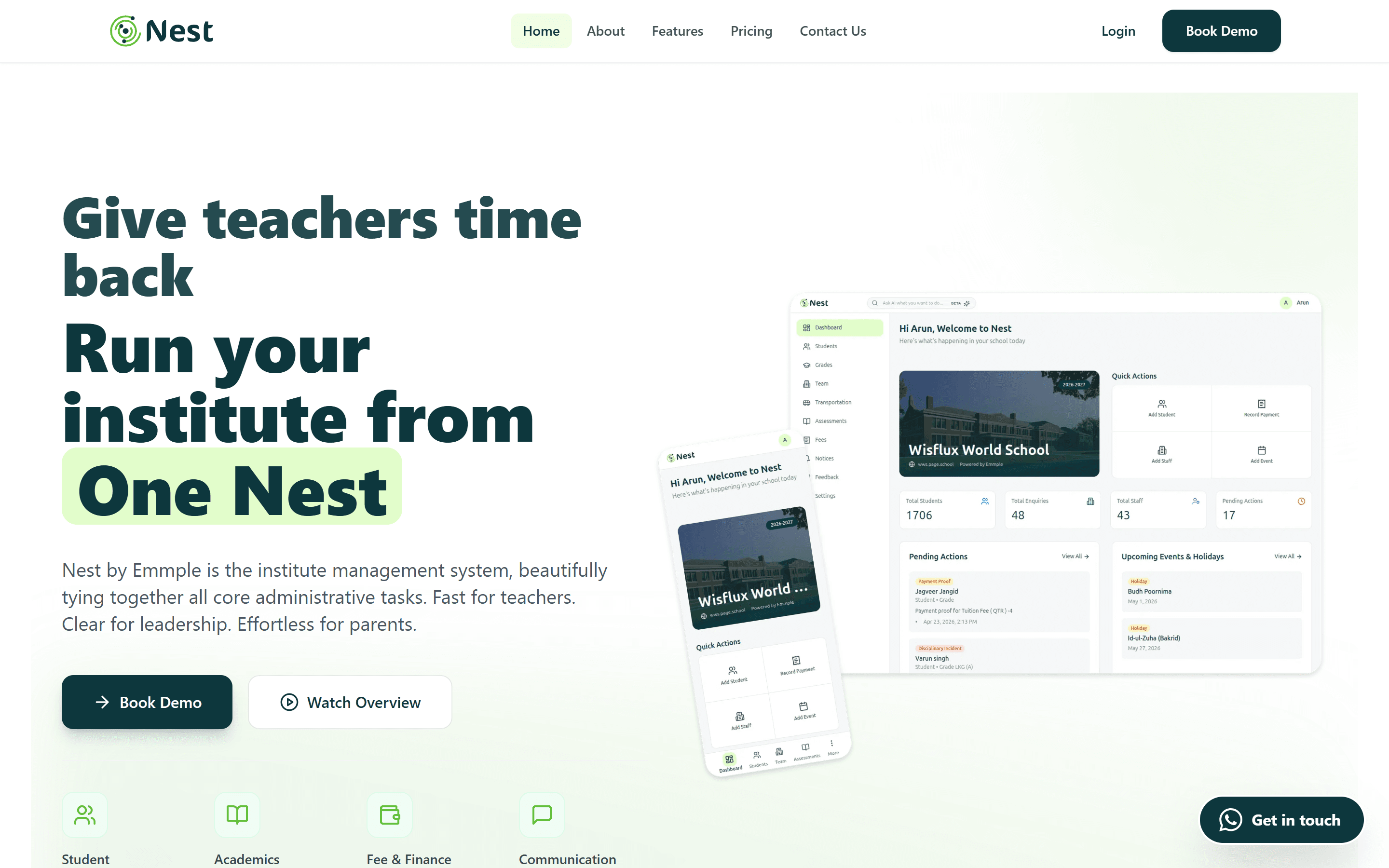
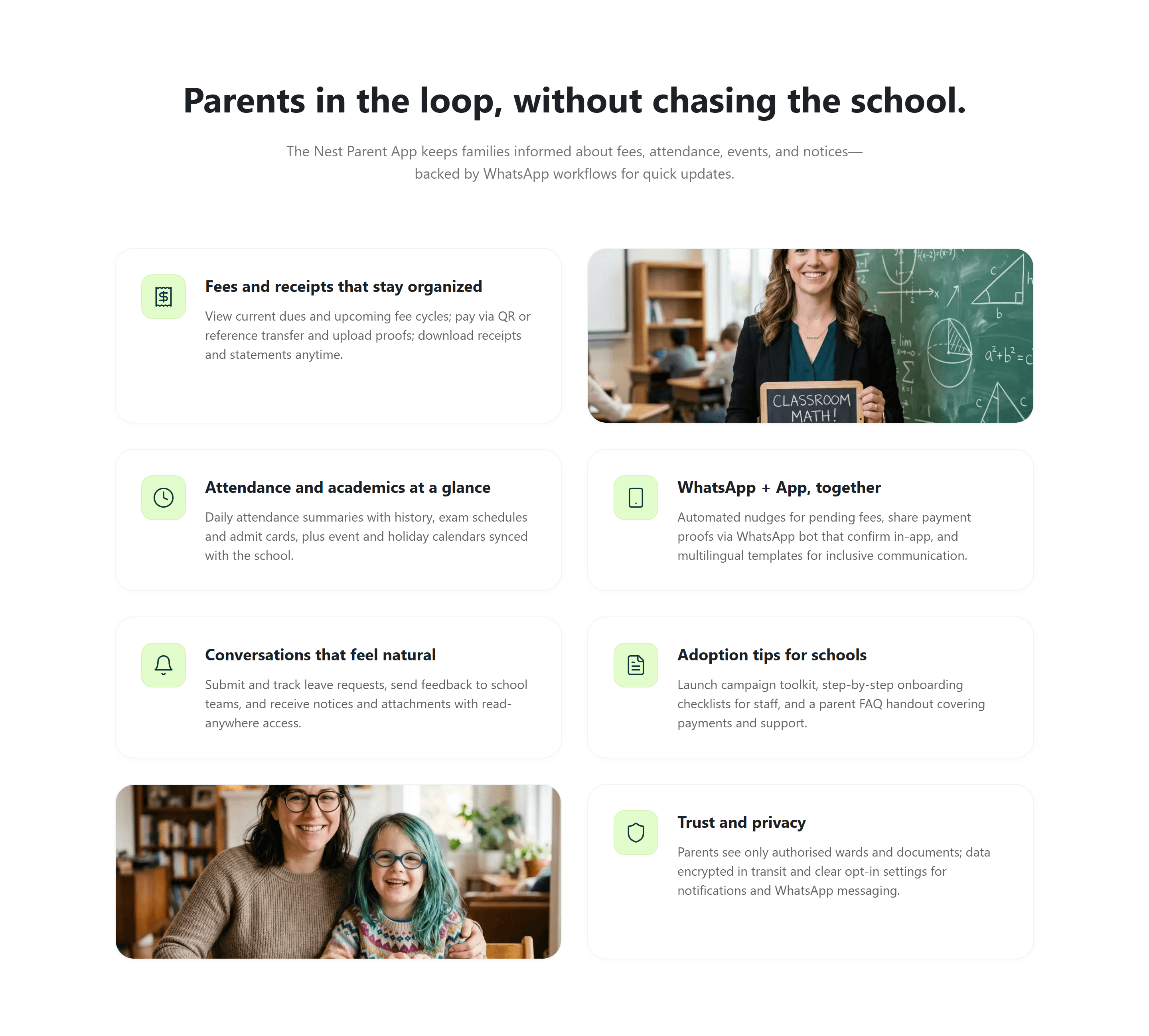
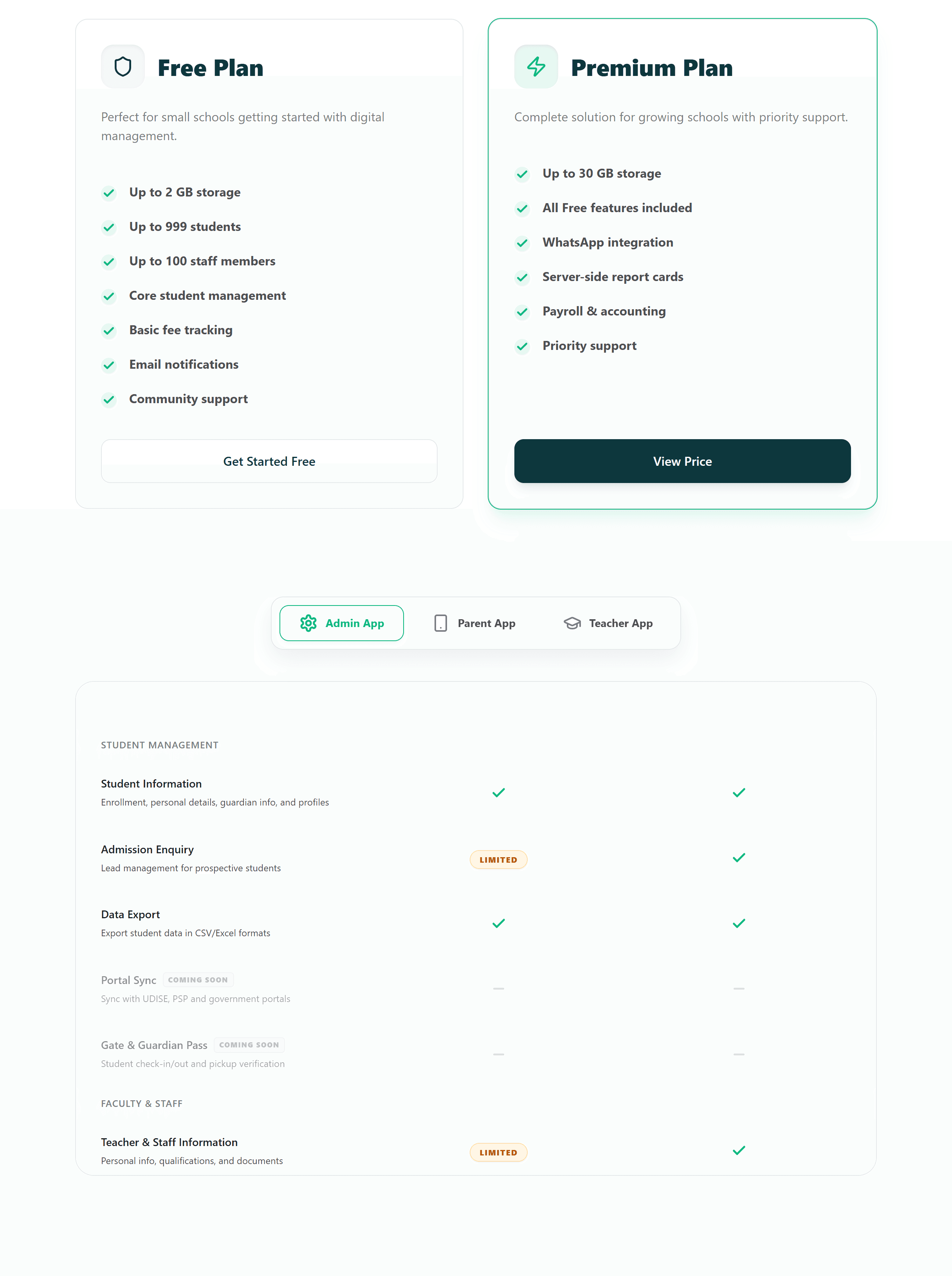
The marketing site was redesigned around one promise — “Give teachers time back. Run your institute from One Nest.” — using real product UI, a section for every role, and a parent-app story backed by WhatsApp workflows.

Hover (or scroll on touch) to see the full page
Visual language
Design System
Colour
- Nest teal#0D373D
- Leaf#86D246
- Lime#E2FDCB
- Canvas#F5F8F9
Type
System UI sans
Fast-loading native type: bold teal headings, calm grey metadata, tabular numbers in tables.
Design Takeaways
Designing an ERP is less about adding features and more about removing friction from the jobs people repeat every single day.